Compare
Coming from Fuelio
Fuelio is a fuel log app for Android, with iPhone soon. If you want your car's services, paperwork and fill-ups next to your home's warranties and reminders, Kavouki reads a Fuelio CSV file and brings your fill-up history across, free.
Kavouki is not affiliated with or endorsed by Fuelio or Sygic. The Fuelio name belongs to its owner.
What comes across, and what stays behind
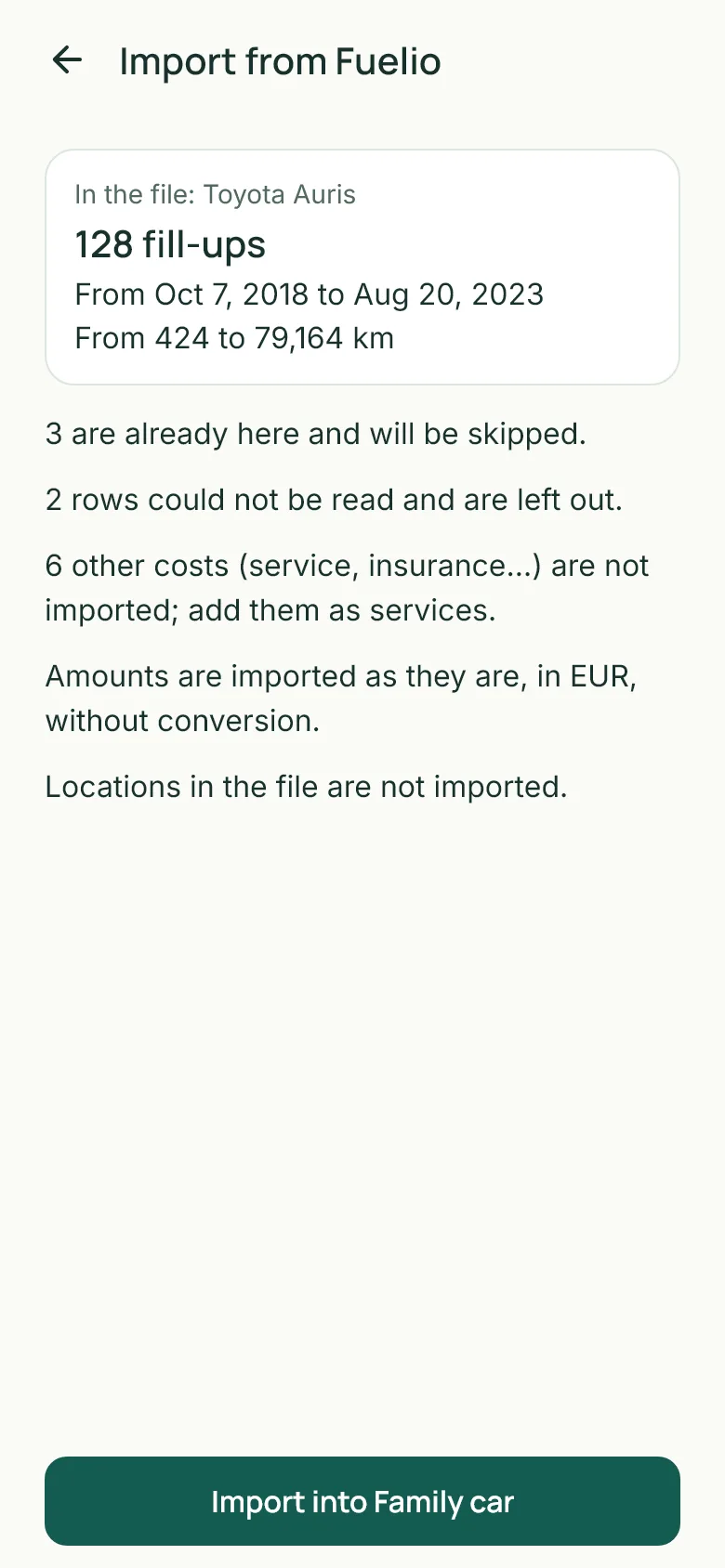
You see all of this in a preview before anything is added.
Comes across
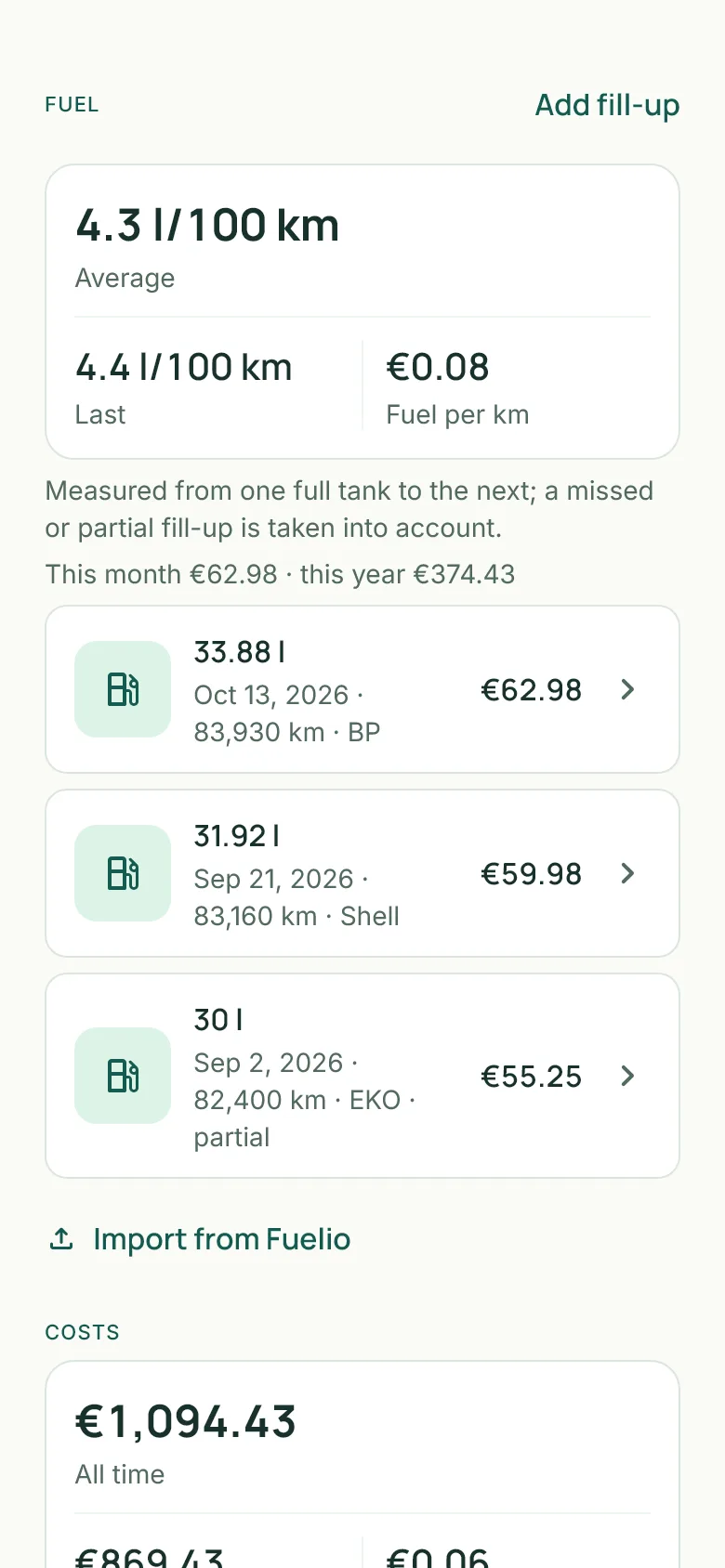
- Every fill-up's date, km, quantity and total paid, or the price per unit times the quantity.
- Full tank and missed fill-up marks, the station name and your notes.
- Miles turned into km, and US or imperial gallons into litres.
- A second tank's fill-ups, such as an LPG car's petrol, as partial fills.
- The km of each fill-up, which also move your km-based service reminders.
Stays behind
- Fuelio's other costs, such as services and insurance. The preview counts them; add them in Kavouki as services.
- Locations. The GPS columns are never read.
- Currency conversion. Amounts come in as they are, in your home's currency.
- Rows Kavouki cannot read, and dates such as 03/04/2021 that could be either day or month. The preview lists how many.
Fuelio and Kavouki, side by side
Fuelio is a focused car app. Kavouki is a home app with a car section. Each does things the other does not.
| Fuelio | Kavouki | |
|---|---|---|
| Price | Free to download; Fuelio Pro €14.99 a year | Free; an optional Kavouki Plus later (planned €12.99 once, incl. VAT) |
| Maintenance reminders and reports | Maintenance reminders and the Annual, Fuel Efficiency and Maintenance reports are in the paid tier; a seller's report is free | Service log, km reminders and costs free; the service book PDF is in Plus |
| Where you filled up | Its export has location columns | Only a station name you type |
| Your home, warranties and rentals | Not covered: it is a car app | In the same app |
Prices from the Greek App Store / vendor website, checked 2 November 2026. Google Play prices were not checked. Prices may differ in your country and may have changed.
How it works
Four steps, one file
Export from Fuelio
In Fuelio, export the vehicle to a CSV file and save it on your phone.
Add your vehicle in Kavouki
Tap your home's name, then Add a vehicle. Its own screen opens.
Import
In the fuel section, Import from Fuelio, choose the file and read the preview.
Add your last services
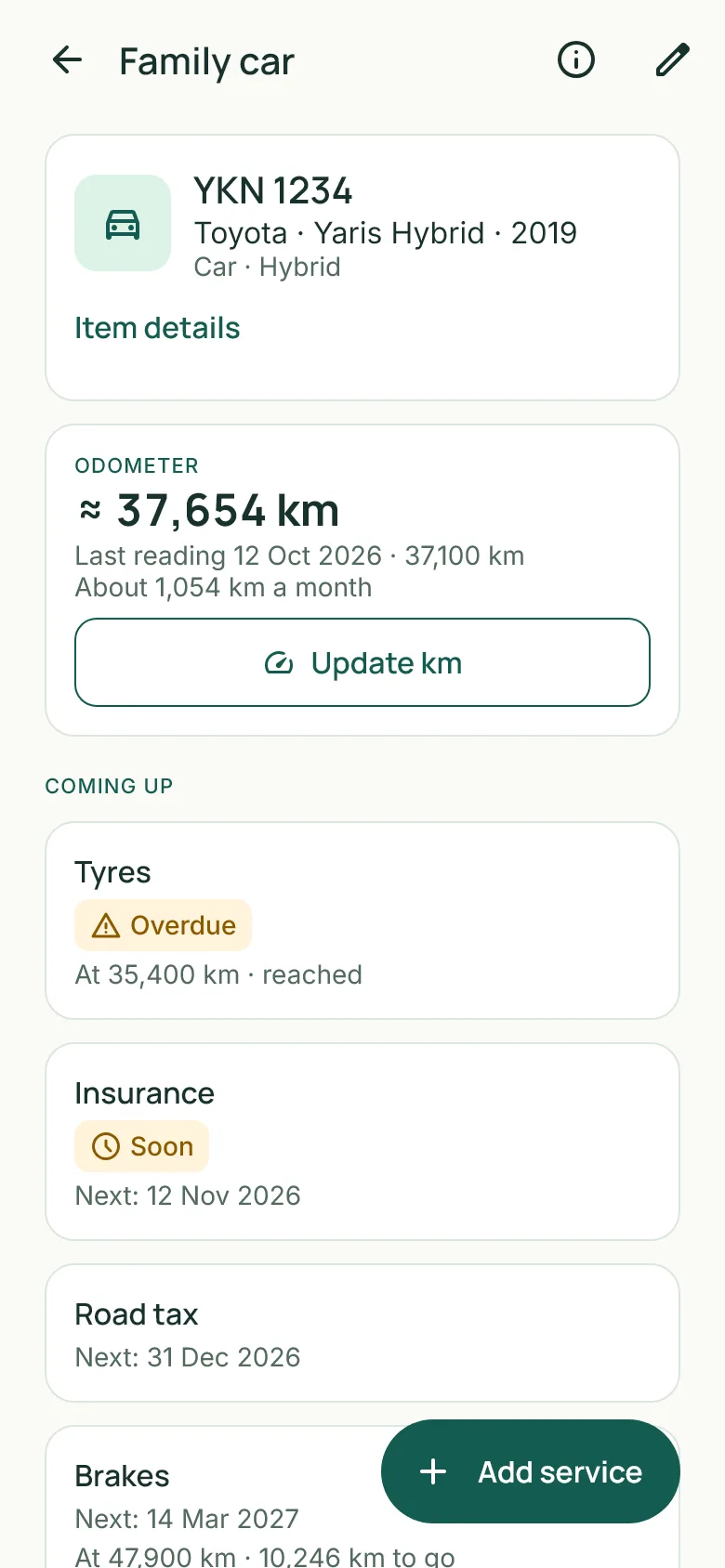
Fill-ups carry your km; add the last oil change and the paperwork with Add service so the reminders start.
Questions
Is Kavouki connected to Fuelio?
No. Kavouki reads the CSV file Fuelio exports, on your phone. It is not affiliated with or endorsed by Fuelio or Sygic, and nothing is sent anywhere.
What if I import the same file twice?
Fill-ups that are already there are recognised and skipped, so you can import a newer export later and only the new fill-ups are added.
I have more than one car in Fuelio.
Add each car in Kavouki and import each one's file into it. A file is imported into one vehicle at a time.
Can I import from Drivvo or another app?
Not yet. Fuelio's CSV is the only car import today. Your home's things can come in from any spreadsheet saved as CSV.
Keep your history, add the rest of your life
Kavouki is free to download for Android, and soon for iPhone. No account, no ads: open it and add your first room.