Insurance
A record of your home contents, before you need it
If something happens at home, your insurer will ask what you had and what it was worth. Kavouki helps you write that down calmly, now: each thing with a photo, a price and its receipt, next to the sum insured on your policy.
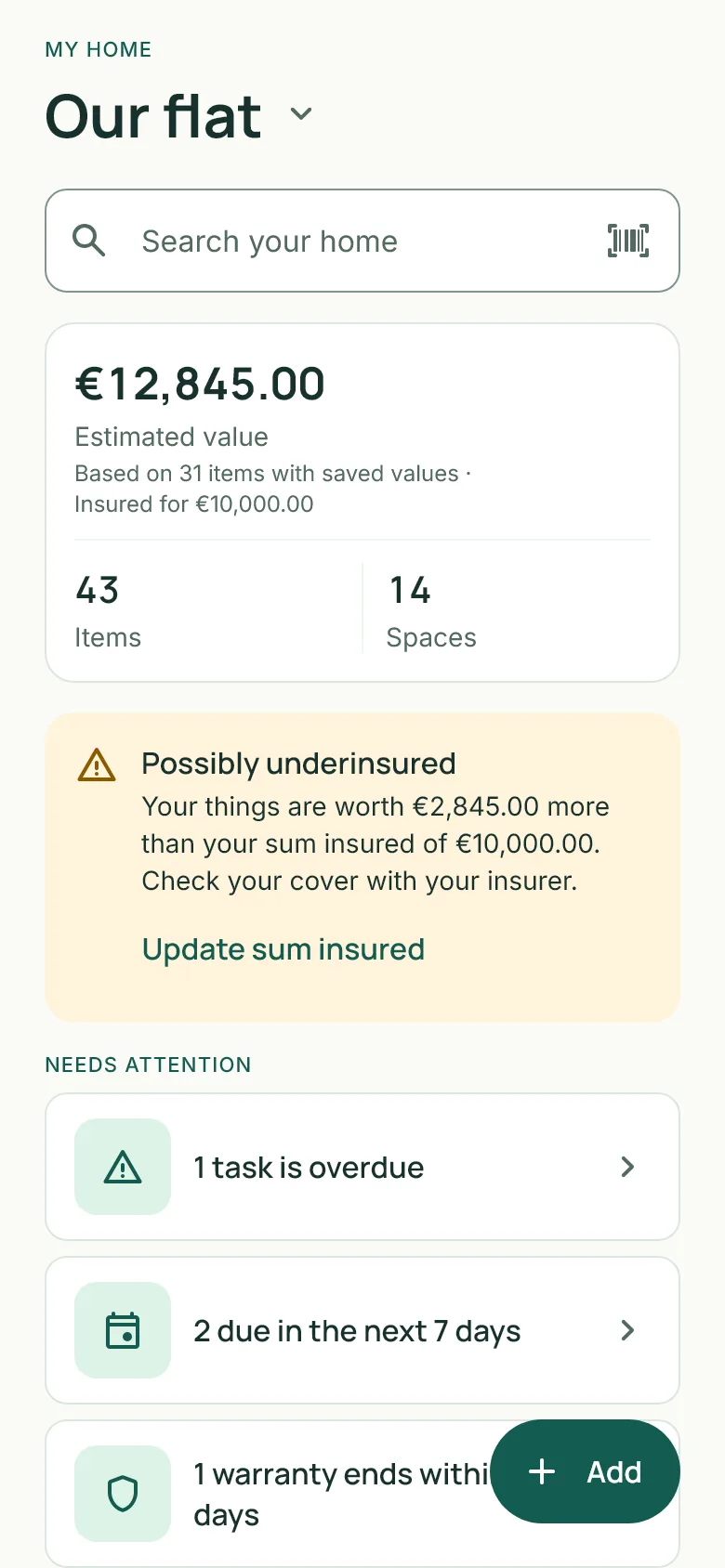
- Value next to sum insured
- Photos without location
- No account
Sound familiar?
Few people know what their home contents are worth
“I couldn't list it all from memory.”
Listing a whole home from memory is hard on a good day, and harder after something has gone wrong.
“Is our cover still enough?”
The sum insured was set years ago. The things in the home have changed since.
“Where are the receipts?”
Proof of purchase is spread across drawers, emails and bank statements.
How Kavouki helps
A clear list, with the proof attached
Kavouki adds up what you enter and puts it next to your sum insured. It does not judge your cover: that conversation is with your insurer.
Every thing, with proof
A photo, the price, the purchase date, the serial number and the receipt, kept with each item.
Free
What your things are worth
An estimated value for the home and for every room, from your prices times the quantity.
Free
Next to your sum insured
Add the sum insured from your policy. When your things are worth more, a calm "Possibly underinsured" notice shows the gap.
Free
The landlord's things, kept apart
Renting? Mark what came with the flat as the landlord's. It stays out of your insurance report unless you include it.
Free
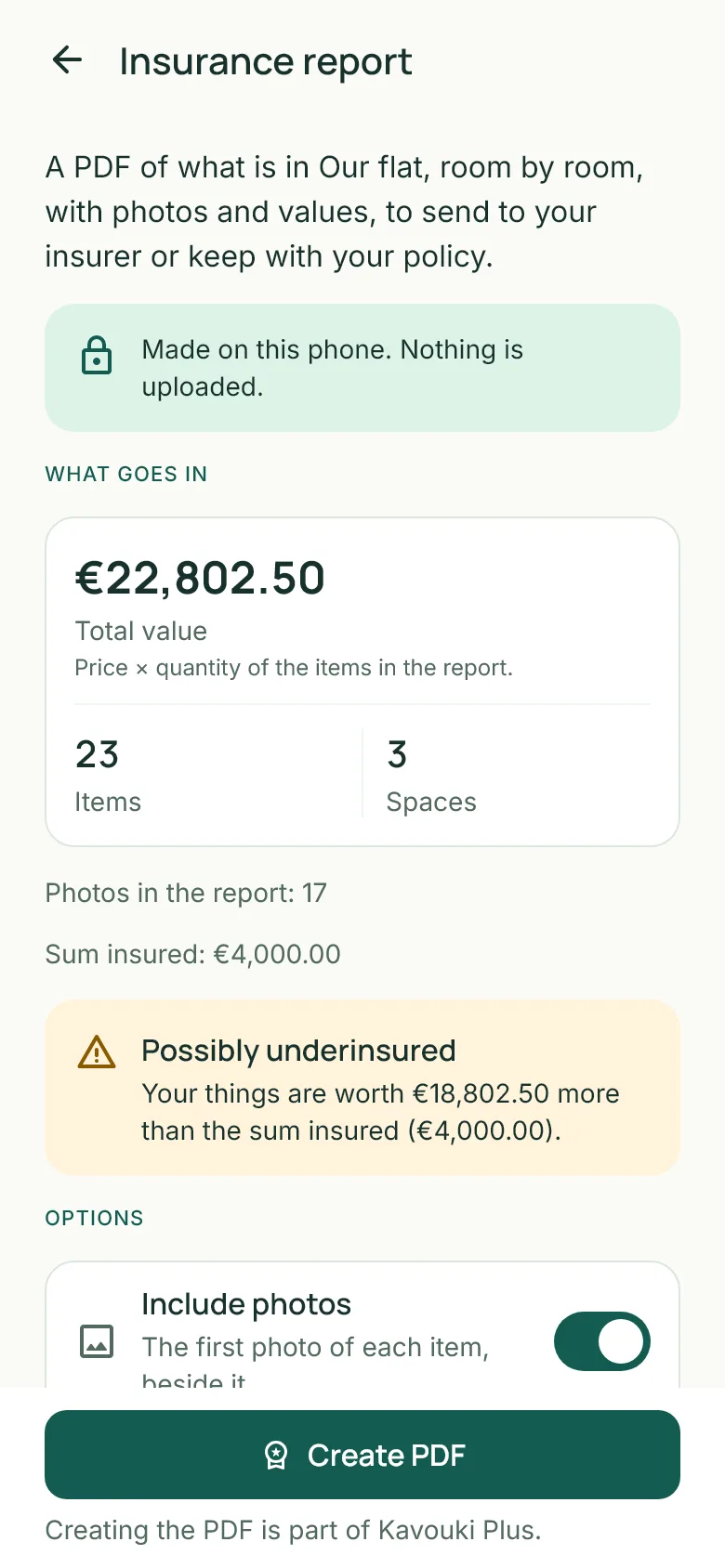
Insurance report
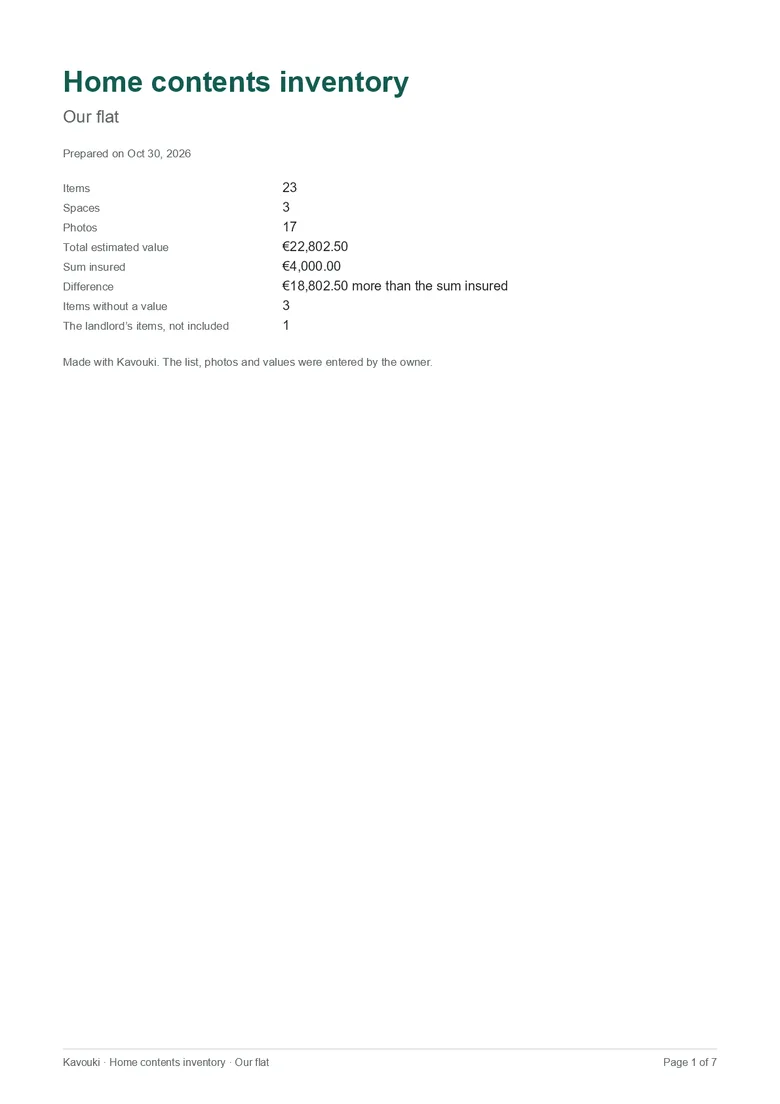
A PDF of every room and item with photo, serial number, price and warranty, subtotals, the sum insured and lines for your declaration.
Kavouki Plus, not on sale yet
Made on your phone
The report is made offline and leaves the phone only when you share or save it. The app's copy is deleted after a day.
Free
How it works
An afternoon now, a clear answer later
Walk through room by room
Use Add items, one photo each in each room. You can name things later.
Add values to what matters
Start with the expensive things: price, purchase date and a photo of the receipt.
Enter your sum insured
In Settings › Home & preferences, type the Sum insured from your policy. The home screen compares it with your total.
Make the report when you need it
Reports & tools › Insurance report › Create PDF, then Share or Save to files.
Keep a backup off the phone
A record that dies with the phone is no record. Export backup and keep the file somewhere safe.
What Kavouki does not do
- It does not judge your cover. "Possibly underinsured" compares two numbers you entered. Whether your policy is enough is a question for your insurer or broker.
- It does not value your things. Values are your own entries; Kavouki adds them up and never estimates a price.
- It is not connected to any insurer. Nothing is sent anywhere, and we cannot promise how an insurer will use the report.
- Photo dates come from the phone. The report says so, and does not call them verified.
Questions
Will my insurer accept the report?
We cannot say: every insurer has its own process. The report is a clear, dated list of what you own with the photos and values you entered. Ask your insurer or broker what they need, and keep the receipts the report mentions.
Should I enter what I paid, or what it would cost to replace?
Kavouki adds up whatever you enter. Most people enter what they paid; your policy decides how a claim is valued, so check with your insurer whether it pays the cost of buying new.
I rent my home. Is this for me?
Yes. Mark the landlord's furniture and appliances with Belongs to the landlord. The insurance report leaves them out by default, because a tenant's contents policy covers your own things.
Is my list sent anywhere?
No. Kavouki has no servers. The PDF is made on your phone and leaves it only when you share or save it yourself.
What is free and what is Plus?
Items, photos, values, the sum insured and the "Possibly underinsured" notice are free. Creating the insurance report PDF is part of Kavouki Plus, which is not on sale yet.
Guides and free templates
Get your record started
How to record your contents for insurance
What to note for each room, and what to keep.
Read itSet your sum insured
Where to find it on your policy and where it goes in Kavouki.
Read the guideThe insurance report
What the PDF contains and its options.
Read the guideItems, one photo each
Photograph a room in minutes, one thing after another.
Read the guideFree home inventory spreadsheet
Start on a computer if you prefer; it imports into Kavouki.
Download itKeep a backup off the phone
So the record survives a lost or broken phone.
Read the guideStart with the room that matters most
Kavouki is free to download for Android, and soon for iPhone. No account, no ads: open it and add your first room.