Moving
Know what is in every box
Pack a box, snap what goes in it, and the box becomes a space you can search. Print QR labels that open the box in Kavouki, and follow each box from packed to moved to unpacked in the new home.
Boxes, photos and search are free. QR labels and moving mode are part of Kavouki Plus, which is not on sale yet.
- Search inside boxes
- QR labels
- No account
Sound familiar?
Thirty boxes, all labelled KITCHEN
“Which box has the kettle?”
The first evening in a new home goes on opening boxes to find one thing.
“Did the garage boxes come?”
On moving day, nobody is sure how many boxes there were or where they went.
“It just says MISC.”
A marker label says little. What is inside lives in the head of whoever packed it.
How Kavouki helps
Every box, findable before it is opened
Boxes are spaces
A box sits in a room or the storage room, like any other space, and counts everything inside it.
Free
Photograph as you pack
Add items, one photo each straight into the box: every photo becomes an item in it.
Free
Search before you unpack
Type "kettle" and Kavouki tells you the box, and where that box is.
Free
QR labels
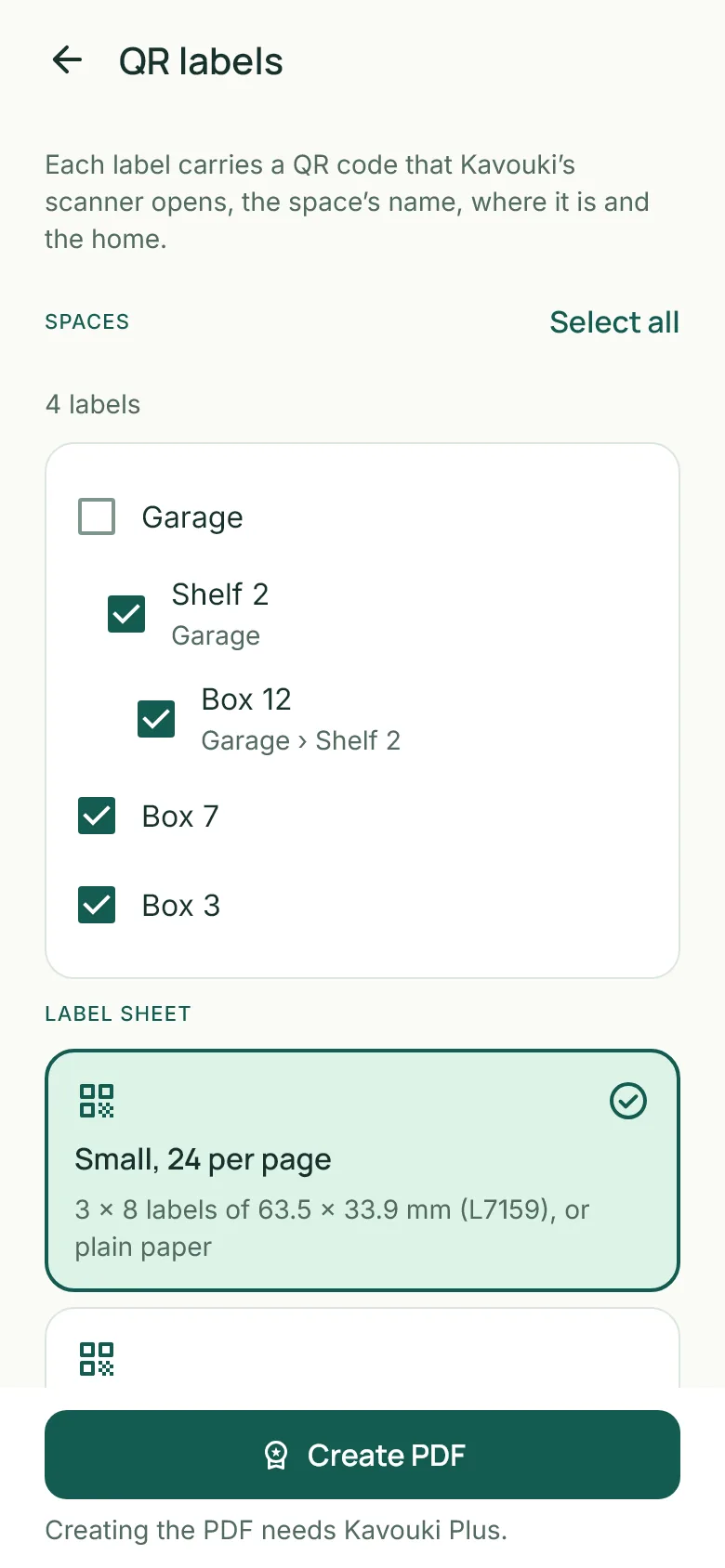
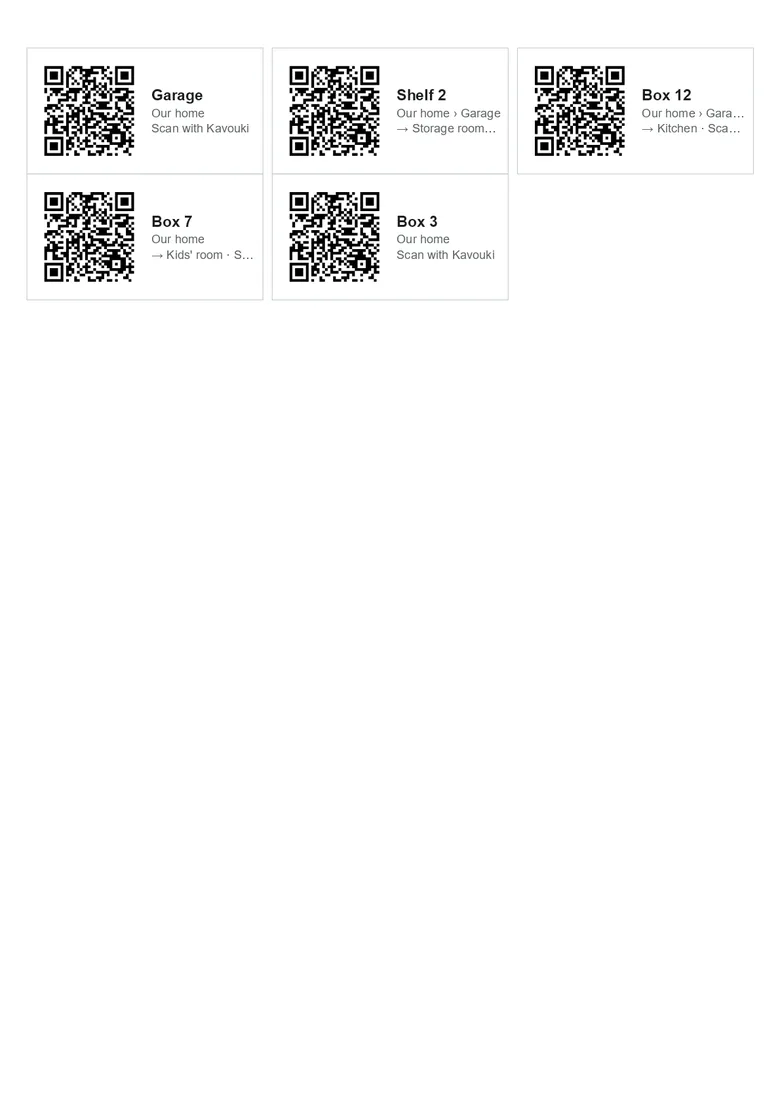
A4 sheets with 24 or 10 labels: the box's name, where it is and the room it goes to. Kavouki's scanner opens the box from its label.
Kavouki Plus, not on sale yet
Moving mode
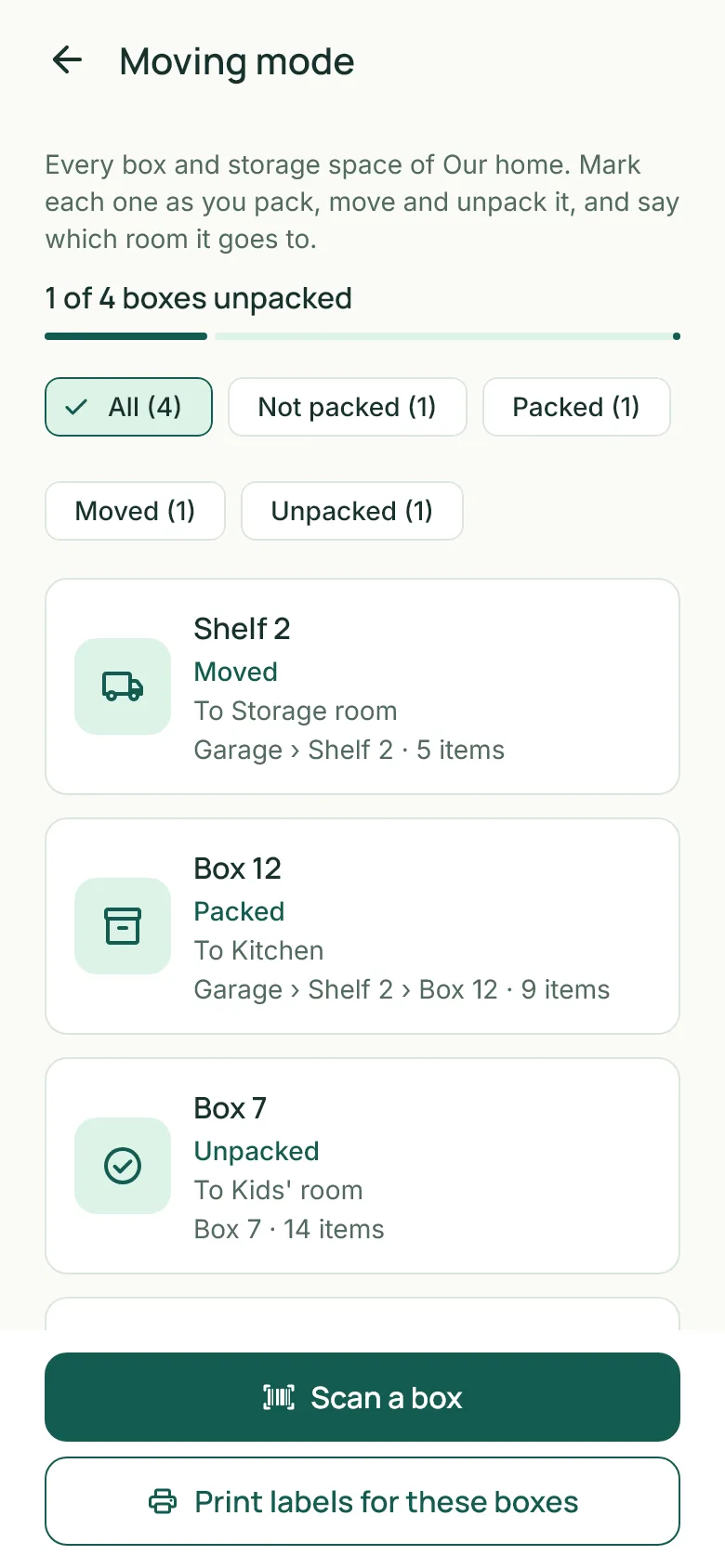
Mark each box packed, moved or unpacked, and the room it goes to. See "12 of 30 boxes unpacked" as you go.
Kavouki Plus, not on sale yet
Finish when you are done
Finish moving clears every box's state. The boxes and what is in them stay, so you can still find things later.
Free
How it works
From the old home to the new one
Make a box
In a room, tap Add space and choose a box. Give it a name or a number.
Fill it
Open the box and tap Add items, one photo each as things go in.
Label it
Print QR labels for your boxes, or write the box's name on it with a marker.
Move
In moving mode, set the room each box goes to and mark it packed, then moved.
Unpack
Scan a box to open it, mark it unpacked, and finish when the last one is empty.
What Kavouki does not do
- Labels open only in Kavouki. Your phone's camera app shows a code it cannot open. That is on purpose: no other app or website can look inside your boxes.
- No live sharing with helpers. Each phone has its own copy. You can send the home to a partner's phone as a file, but changes do not sync.
- No moving services. No quotes, no booking, no removal company's inventory.
Questions
Do I need special label sheets?
No. Plain A4 paper works, with lines to cut along. The two sizes, 24 and 10 labels per page, follow common A4 sticker sheets if you prefer stickers. Print at 100 %.
What is free and what is Plus?
Boxes, photos, search and finishing a move are free. Creating the QR label PDF and changing a box's moving state are part of Kavouki Plus, which is not on sale yet. States already set stay visible without it.
What happens to the boxes after the move?
Finish moving clears each box's state and destination. The boxes and their contents stay, so the box of winter clothes in the storage room is still findable next year.
Can I start before I have the app?
Yes. The free moving checklist and box labels on paper work on their own, and you can add the boxes to Kavouki later.
Guides and free templates
Plan the move
Free moving checklist and box labels
A checklist for the weeks before, and labels to print. No sign-up.
Download itQR labels and moving mode
Print the labels, set destinations and track every box.
Read the guideItems, one photo each
Fill a box with photos as fast as you can pack it.
Read the guideSend a home to another phone
Give your partner a copy of the boxes before moving day.
Read the guideMoving into a rental?
Make the move-in handover report on the same day.
See howAfter the move
Your boxes become the start of a home inventory.
See howMoving soon?
Kavouki is free to download for Android, and soon for iPhone. Set it up before the first box is taped.