Home inventory
A home inventory that works offline
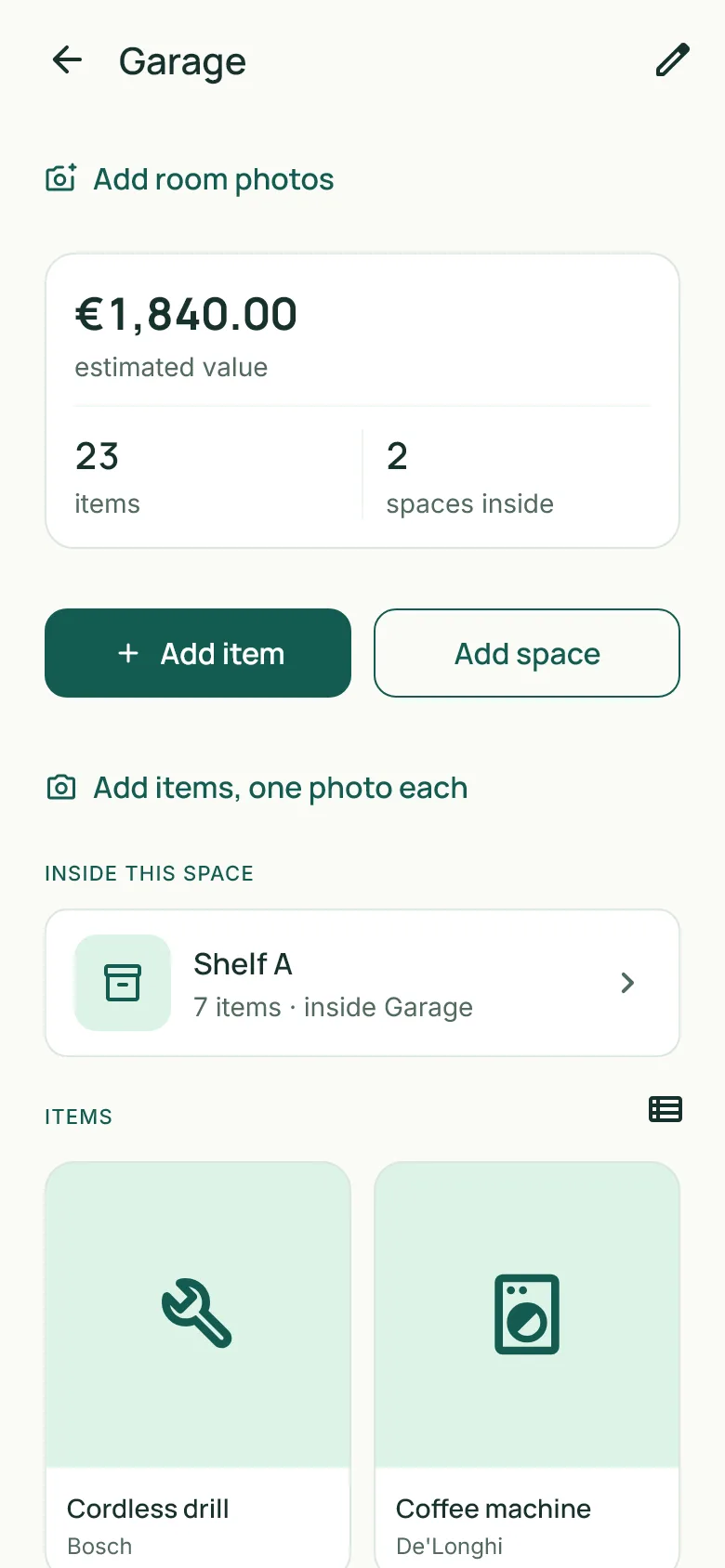
Rooms, cupboards and boxes, with a photo, the receipt and the serial number of everything in them. Kavouki keeps the list on your phone, needs no account and finds anything in seconds.
- No item limit
- No account
- Works offline
- Photos without location
Sound familiar?
The things you own are easy to lose track of
“Where did we put the spare charger?”
Things end up in drawers, boxes and the storage room, and nobody remembers which one.
“I kept the receipt somewhere.”
Receipts fade and manuals go missing, usually just as the washing machine stops working.
“I started a spreadsheet once.”
It had no photos, lived on the laptop and stopped somewhere in the kitchen.
How Kavouki helps
Your whole home, as fast as you can take photos
Only a name is required. Everything else you add when you have it, and all of it stays with the thing it belongs to.
Rooms, storage and boxes
A box on a shelf in the garage is a space inside a space inside a room. Each one shows how many things it holds and what they are worth.
Free
Items, one photo each
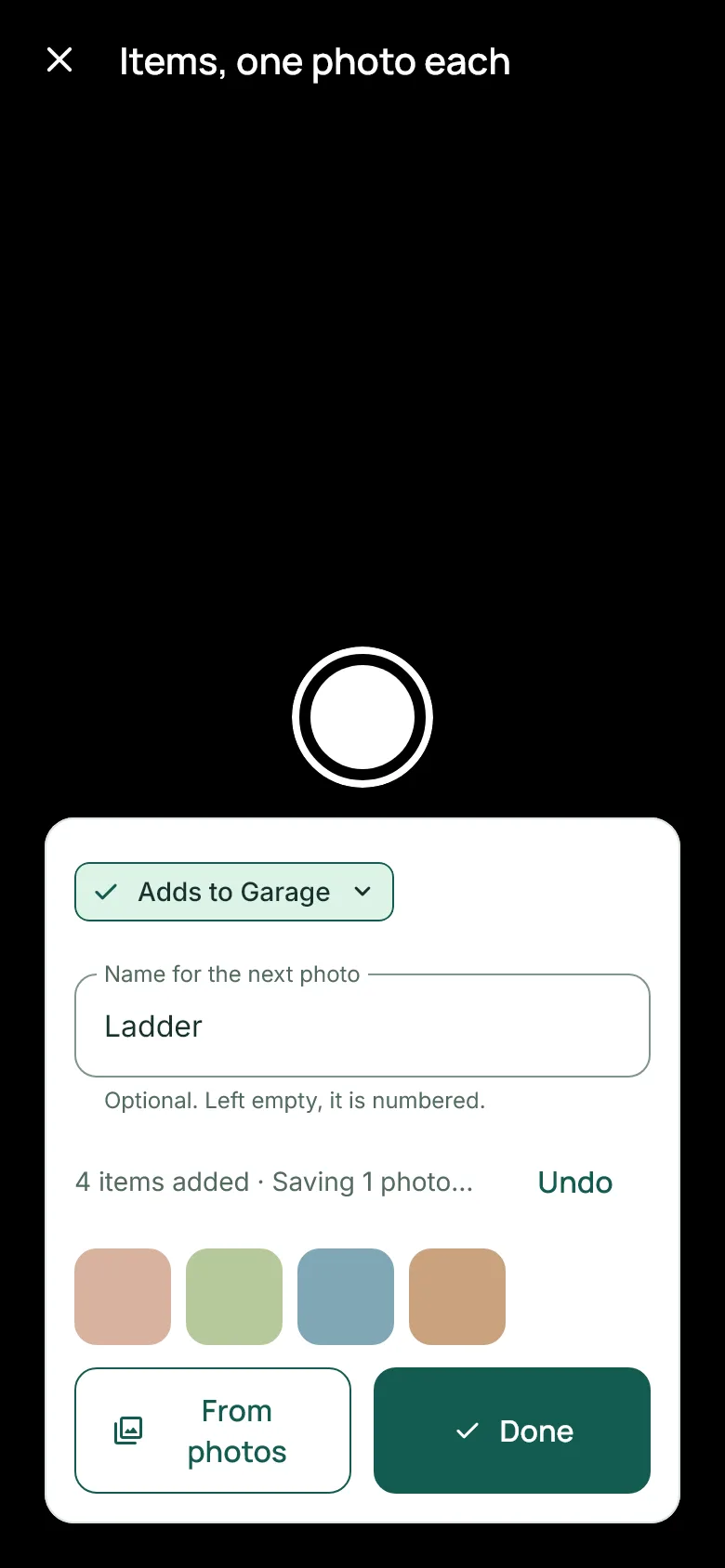
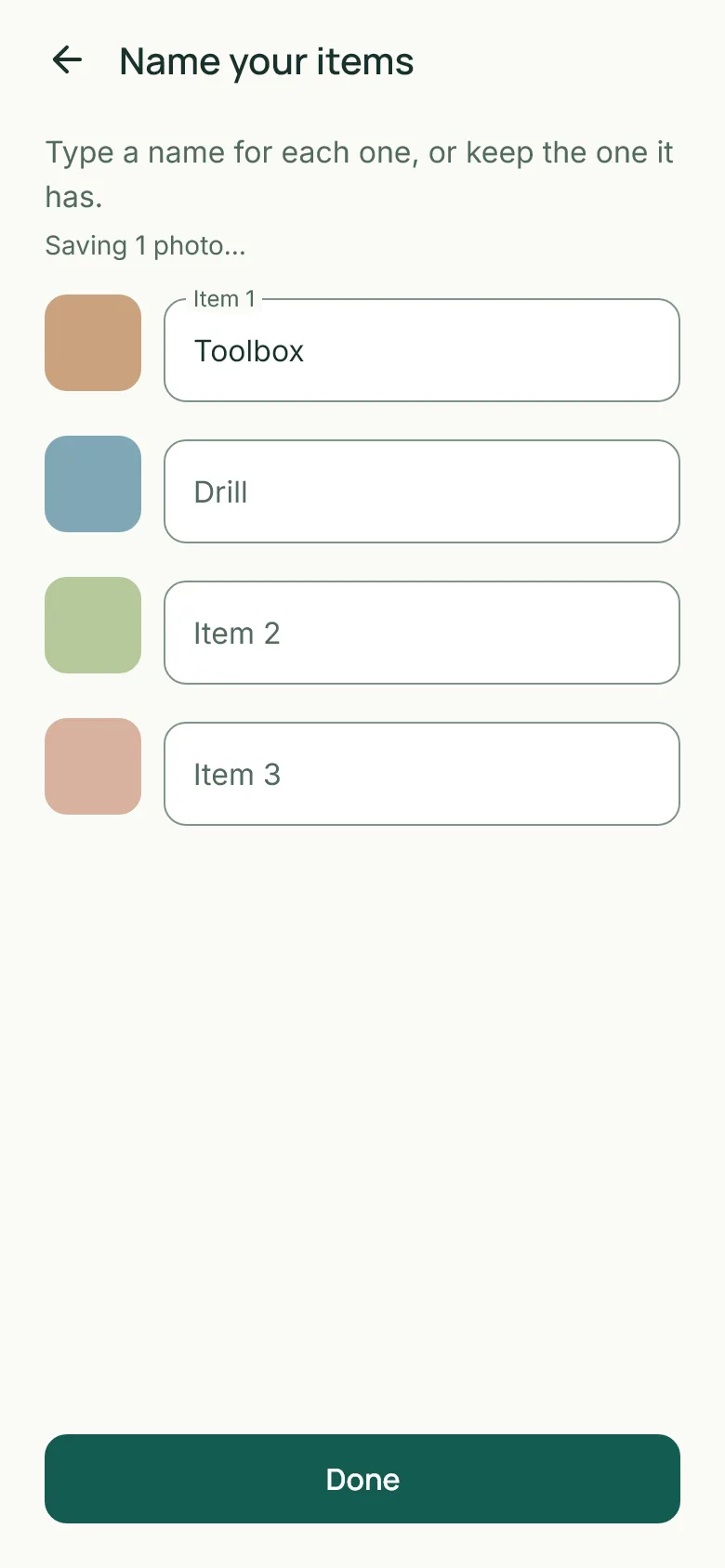
The camera stays open and every photo becomes an item. Name them afterwards in one quick list, or not at all.
Free
Search your home
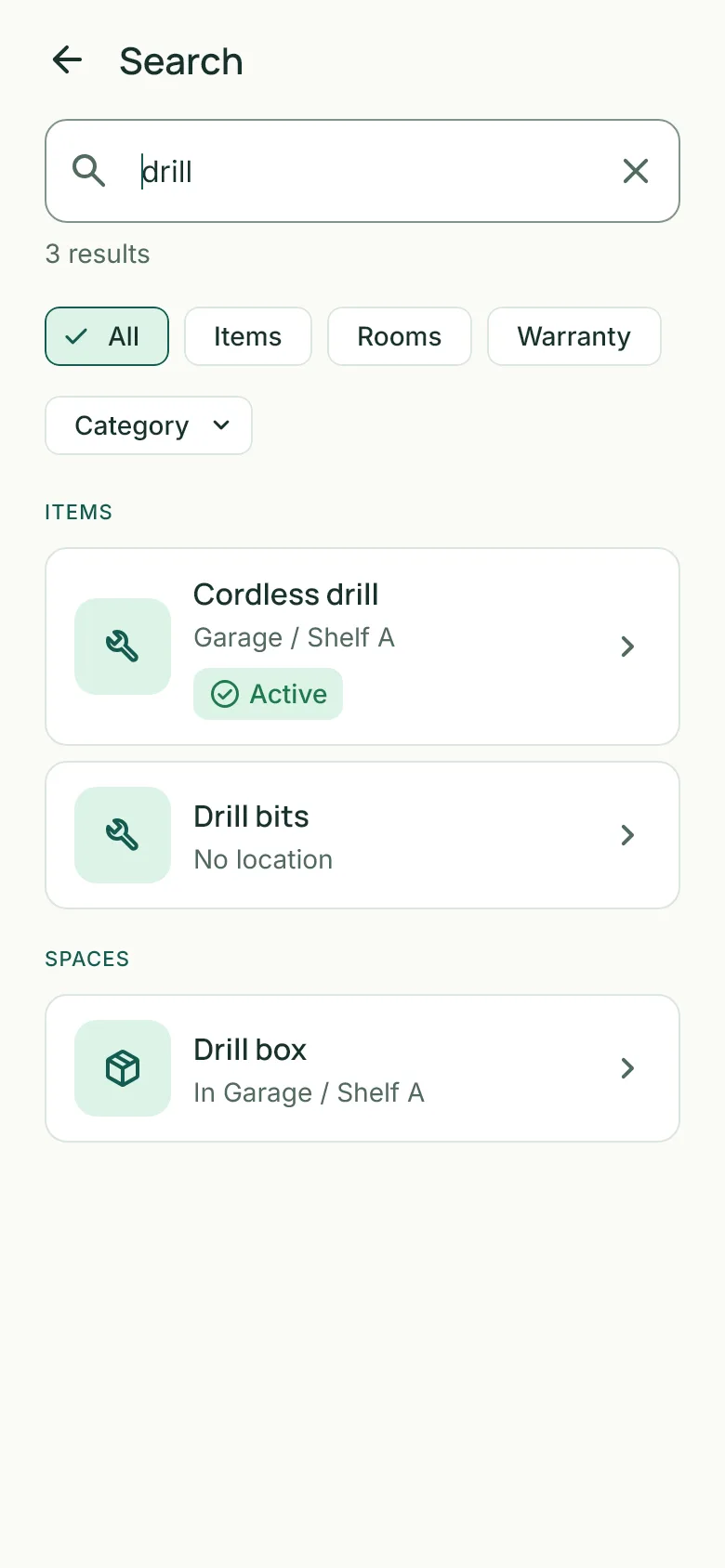
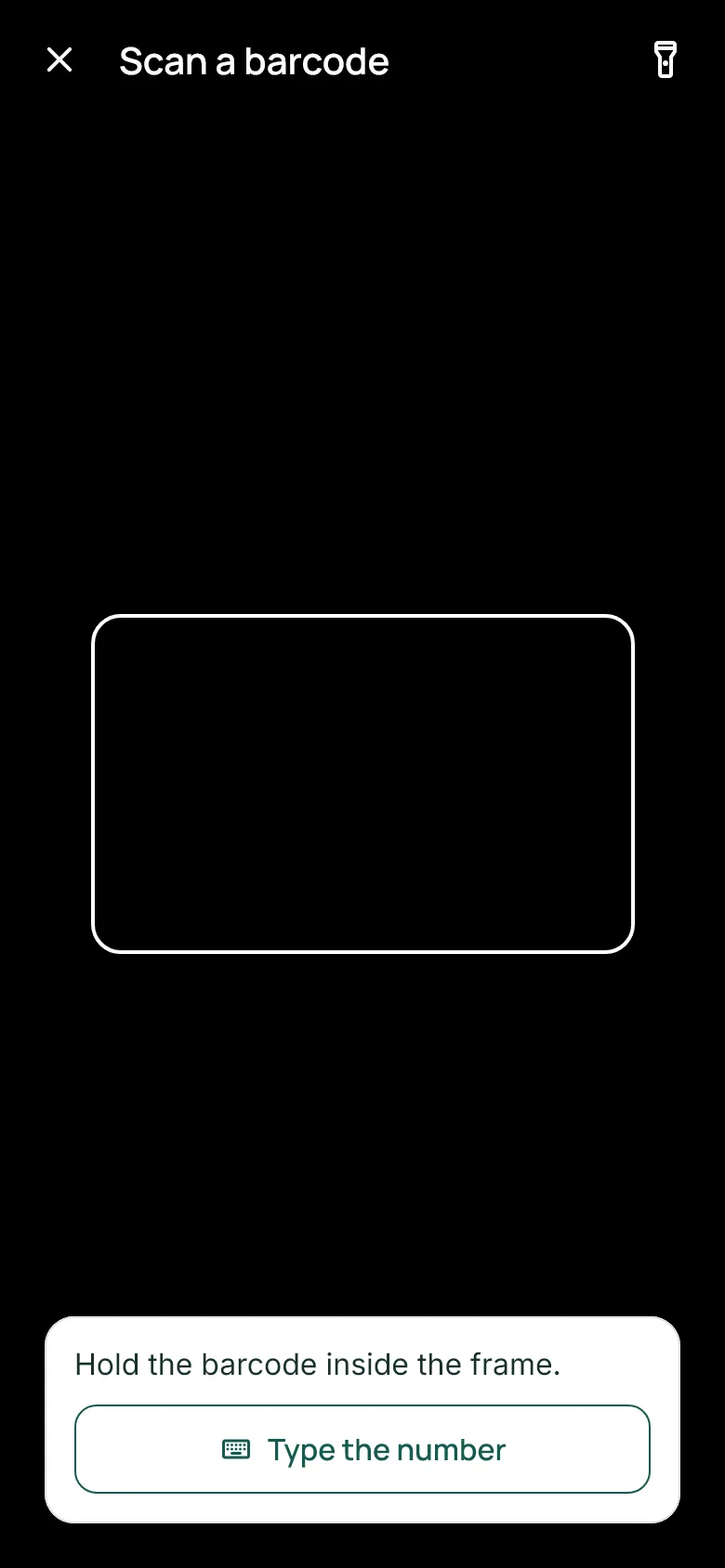
By name, brand, model, serial number, notes, category or space. Or scan a barcode to open the item that carries it.
Free
The proof stays with the thing
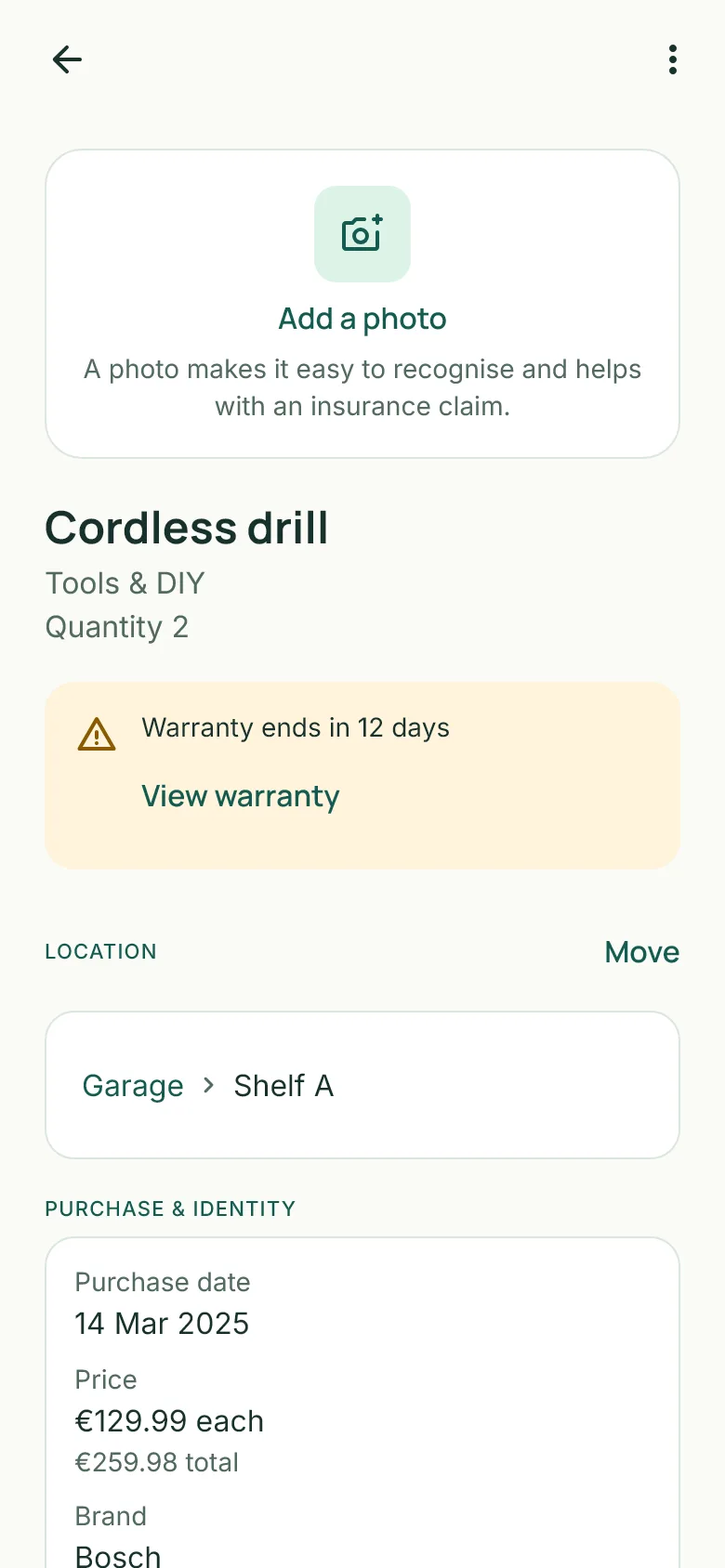
Up to 10 photos and 10 documents per item: the receipt, the manual, the invoice. Copy the serial number with one tap.
Free
Your spreadsheet, brought in
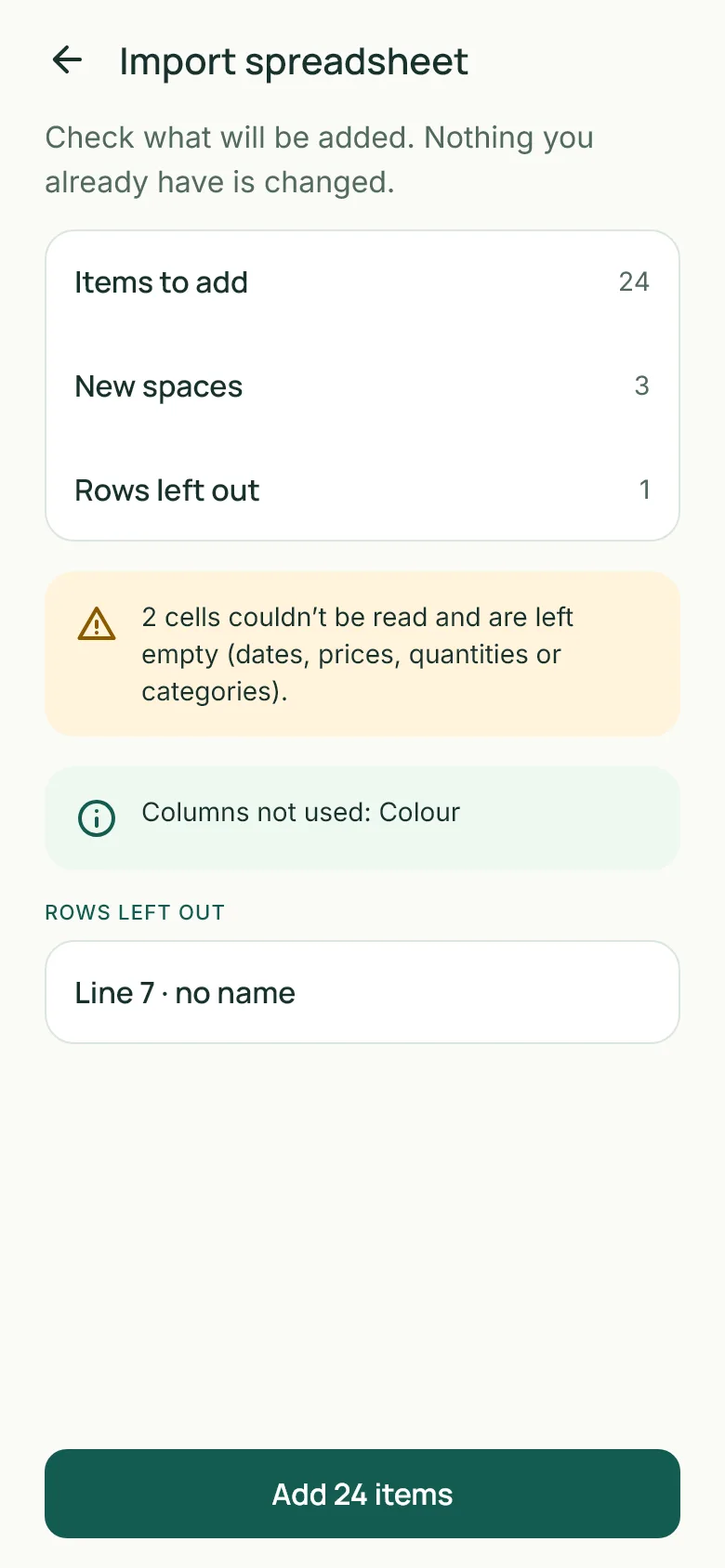
Fill in the free template, or rename your own columns to match, and import it. Export everything to CSV whenever you like.
Free
More than one home
A holiday house or a flat you let, each with its own rooms. Your car can have its own place too.
Free
How it works
From an empty phone to a findable home
Name your home and pick rooms
Choose from the room suggestions, add your own or skip. It takes seconds.
Add things
Tap Add › Item and type a name, or Items, one photo each and name them afterwards.
Add what proves them
Purchase date, price, serial number, the receipt and the warranty, when you have them to hand.
Keep a copy off the phone
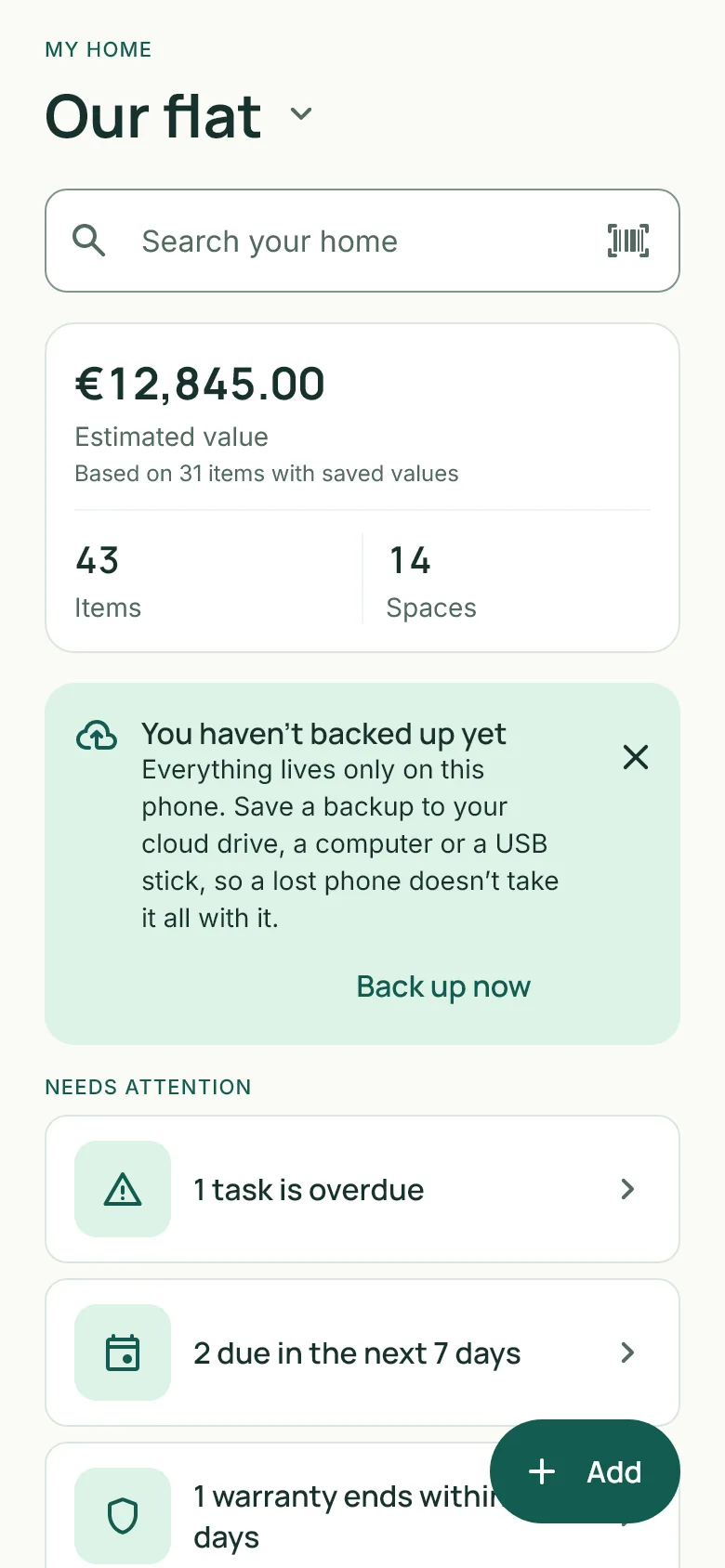
Export backup saves one file with everything. Keep it on a computer, a drive or a USB stick.
The app
What it looks like on your phone
Real screens from the current build, with sample data.
What Kavouki does not do
- No sync. Each phone has its own copy. To share a home, you send it as a file.
- No automatic backup. You export a backup file and keep it off the phone; Kavouki reminds you when the last one is getting old.
- No online lookups. Barcodes are matched on your phone and never looked up in product databases, so you type the name yourself.
- No photo recognition. Kavouki does not guess what is in a photo or what it is worth.
- No web or computer app. The inventory lives on your phone; the CSV export opens on any computer.
Questions
Is there a limit on how many items I can add?
No. Items are unlimited and free, each with up to 10 photos and 10 documents. The only limit is your phone's storage, which Settings shows.
Do I need an account or an internet connection?
No. Kavouki opens straight to your home and works in airplane mode, photos and search included. There is nothing to sign in to.
I already have a list in Excel. Can I bring it in?
Yes. Fill in the free template, or give your columns the template's names, then use Import from spreadsheet (CSV). You see a preview first, and the import only adds: it never changes what is already in Kavouki. See how to import a spreadsheet.
Can my partner see the same inventory?
Yes, without accounts: send a home from your phone as a file. On their phone, Add a home from a file puts it next to the homes already there, for free. It is a copy, not live sync: send a new file when you want to update theirs.
What if I lose my phone?
Your inventory is as safe as your last backup. Keep the backup file somewhere other than the phone, and restore it on the new one. See back up and move to a new phone.
Guides and free templates
Start today
Start with one room
The quickest way to a useful inventory: one room, ten minutes.
Read the guideItems, one photo each
Photograph a shelf or a cupboard item by item, then name them.
Read the guideFree home inventory spreadsheet
A CSV template in English and Greek that imports into Kavouki in one tap. No sign-up.
Download itImport a spreadsheet
Bring an existing list in, with its rooms and boxes.
Read the guideBack up and move to a new phone
One file with everything, and how to restore it.
Read the guideKavouki or a spreadsheet?
An honest look at when a spreadsheet is enough.
CompareStart with one room
Kavouki is free to download for Android, and soon for iPhone. No account, no ads: open it and add your first room.