Guide · Privacy and security
Lock Kavouki, and know what is stored where
An inventory is a map of your home's valuables. Lock it behind your fingerprint, face or screen lock, and know exactly where it lives, what the app may use and how to wipe it.
Before you start
- A screen lock on your phone: a PIN, pattern or password, with fingerprint or face if you like. App lock uses the phone's own lock.
In this guide
1. Turn on app lock
Open Settings › App lock
The row is under App and has a switch. If it is greyed out with “Set a screen lock on your phone first”, add a screen lock in the phone's settings and come back.
Turn the switch on
The phone asks for your fingerprint, face or screen lock first. Nothing changes unless that succeeds.
Check the row
It now says “On · locks after a minute away”.
Result: when you open Kavouki, or come back after a minute or more, you see “Kavouki is locked” and Unlock; your inventory is not drawn until you unlock. Short trips to the camera or a file picker do not lock it. Turning the lock off asks for the phone's lock too.
- On Android 13 and newer, the app switcher hides Kavouki's preview while app lock is on.
- The Android home-screen widget shows nothing while app lock is on.
- If you remove your phone's screen lock later, Kavouki opens without asking rather than lock you out.
App lock keeps people who pick up your unlocked phone out of Kavouki. It is not extra encryption: your phone's own encryption protects the data, and anyone who knows your phone's PIN can also open Kavouki.
2. What is stored where
On the phone, in Kavouki's private storage
Your items, spaces, warranties, reminders and settings, and every photo and document. Other apps cannot read it. Settings › Storage used shows how much space it takes.
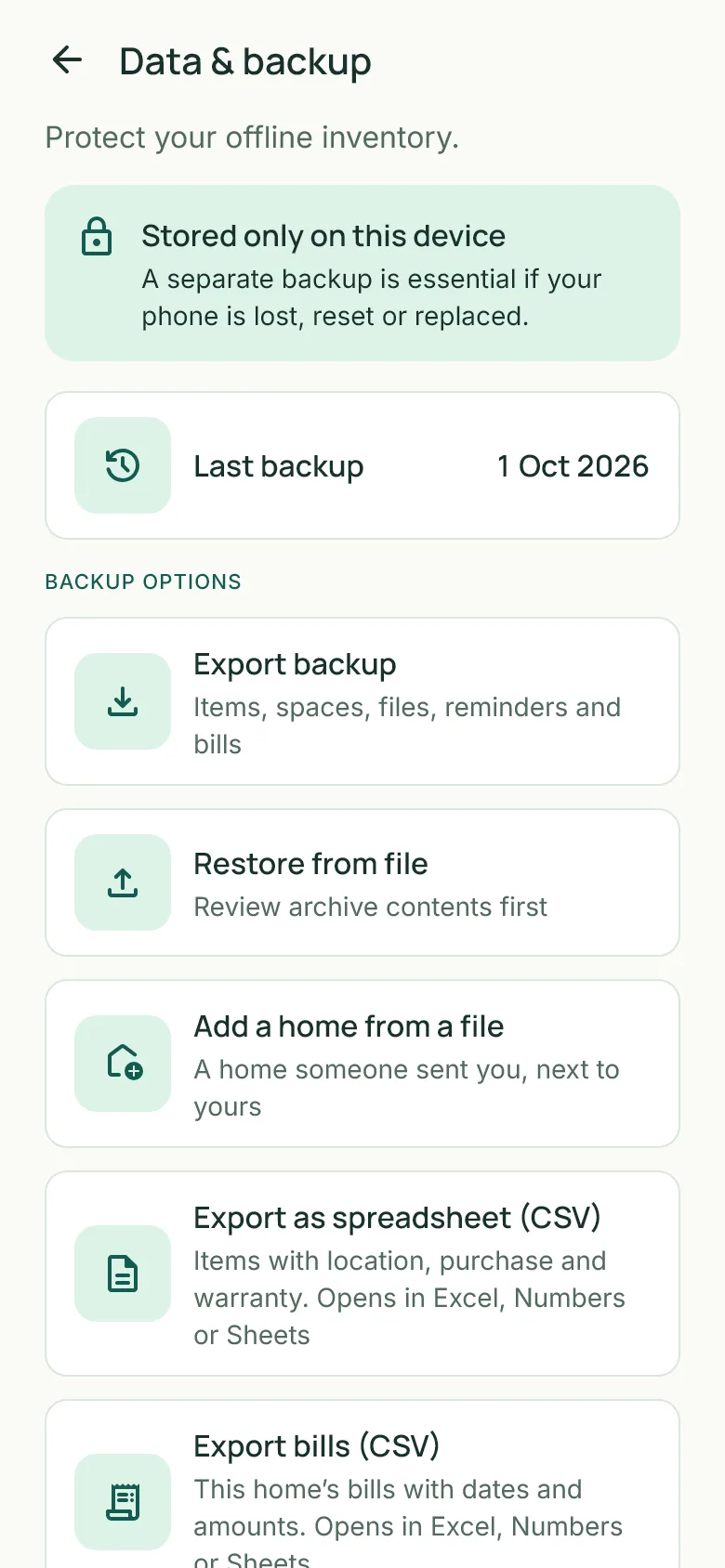
Android: not in Google's cloud backup
Android's own cloud backup and phone-to-phone transfer are switched off for Kavouki. Only a
.kavoukibackup you export can bring your data back.iPhone: in your own iPhone backup
Your iCloud or computer backup of the iPhone includes Kavouki's data, as it does for every app; that is your choice in iOS settings. PDF reports are kept out of it.
Files you make
Backups, CSV files, PDFs and sent homes leave the phone only when you share or save them. Kavouki deletes its own working copies, and PDFs after a day.
Result: no account, no server, no analytics, and no copy with us. Kavouki 1.0 for Android does not even ask for internet access. Read our privacy promises for how each one is checked.
3. Photos without location
Every photo you add is saved again by Kavouki, and that copy carries no GPS location or other camera data. A photo picked from your gallery stays as it was in the gallery; only Kavouki's copy is cleaned.
Result: a photo shared from Kavouki, in a report or a backup, does not reveal where it was taken.
4. The permissions Kavouki asks for
- Camera: asked the first time you take a photo or scan a code, and used only while that screen is open. Frames read for a barcode or a label are never saved.
- Notifications: asked when you save your first reminder, after Kavouki explains why. Without them, reminders still appear in To do.
- Fingerprint or face: used only by app lock. Android grants it when you install, without a question; iPhone asks the first time app lock uses Face ID.
- Start after a restart (Android): lets Kavouki plan your reminders again when the phone restarts. Nothing is asked.
Kavouki does not ask for your location, contacts, microphone or photo library: when you pick a photo or a file, the phone's own picker shows only what you choose. Check the list yourself in the phone's settings: Settings › Apps › Kavouki › Permissions on Android, Settings › Kavouki on iPhone.
Result: you know why each permission is there, and you can turn any of them off.
5. Reset all data
Open Settings › Reset all data
“Deletes everything on this phone”. A sheet opens: “Delete all data?”.
Back up first, if you might need it
Back up first takes you to Data & backup. Once the data is gone, only an exported backup can bring it back.
Type to confirm
Type your home's name as shown (or the word DELETE), then tap Delete everything.
Result: Kavouki deletes its database, photos and documents, cancels every reminder and starts again at the welcome screen. Files you exported or shared elsewhere are not touched, and on iPhone an older device backup may still hold Kavouki's data until it is replaced. Items you delete one by one are removed for good 30 days later.
If something goes wrong
- App lock is greyed out. The phone has no screen lock. Set one, then come back.
- The fingerprint is not recognised. Use your PIN, pattern or password in the same prompt. After “Not unlocked. Try again.”, tap Unlock once more.
- “Delete everything” stays grey. Type the home's name exactly as the sheet shows it (capitals do not matter), or the word DELETE.
- “Some data could not be deleted. Please try again.” Try again. If it keeps happening, uninstalling Kavouki also removes its private storage.
Questions
Does app lock encrypt my data?
No. Your phone's own encryption protects everything stored on it. App lock adds a second door in front of Kavouki, opened with the phone's own lock.
Can I take screenshots with app lock on?
Yes. App lock hides the preview in the app switcher on Android 13 and newer, but screenshots stay allowed.
What does Kavouki know about me?
Nothing. There is no account and no analytics, and Kavouki has no server to send anything to. What you type stays on your phone unless you share a file.
What if I lose my phone?
Your phone's lock, and app lock if it is on, keep Kavouki closed. To get your inventory back, you need a backup you exported: see back up and move to a new phone.
Still stuck? Write to support@kavouki.com with your phone model, the version in Settings › About and what you see. To report a security problem, see Security. Settings › Help & support › Copy diagnostics gives you a short, anonymous list to paste in.