Learn
How to record your home contents for insurance
A list of what you own, with photos, receipts and serial numbers, made before you ever need it. Here is how to make one room by room in Greece or Cyprus, and how to check that your sum insured matches what you own.
This is general information, not insurance advice. What your policy covers, how it values things and what it asks for after a loss are written in your policy: read it, or ask your insurer or broker.
On this page
1. Room by room
Start with one room and go round it in one direction, so nothing is skipped. Open the cupboards and drawers; the things inside them add up. Don't forget the storeroom, the balcony, the garage and anything kept elsewhere, such as a bike in the building's basement.
Contents are, broadly, the things you could take with you when you move. Fitted things such as kitchen units, built-in wardrobes or a fixed A/C unit may count as part of the building instead; every policy draws the line in its own words, so check yours.
2. Photos
- One wide photo of each room from the door, then one from the opposite corner.
- For anything valuable: the front, the label or serial plate, and any existing damage.
- Jewellery, watches and art close up, on a plain background.
- Open wardrobes and shelves, so the photo shows what is inside.
A slow video walk through the home is a good extra. Photos taken now show that you owned something and what state it was in.
3. Receipts and documents
Keep the receipt or invoice for anything that would be costly to replace, with the warranty, the manual and, for jewellery or art, any valuation. A card or bank statement can back up a purchase when the receipt is gone. Till receipts printed on thermal paper fade within a few years, so photograph them the day you buy.
4. Serial numbers and models
The model and serial number are usually on a plate at the back or underneath, on the box, or for phones and laptops in the settings under "About". They identify your item in a theft report and in a claim, and they tell you exactly what to replace it with.
5. What it's worth
Write down what you paid and when. If you know what the same thing costs new today, note that too. Policies value things differently: some pay what it costs to replace an item with a new one, others take off an amount for age and wear. Your policy says which, and that changes what your list should show.
6. Your sum insured, and underinsurance
The sum insured is the most your policy will pay for your contents. To choose it, add up what it would cost to replace everything you own: that is what your list is for.
Underinsurance, plainly. Say your things would cost €40,000 to replace and you insured them for €20,000. Many policies then treat you as insured for half, so a €4,000 claim might be paid at €2,000. In Greek this is called υπασφάλιση. Whether your policy works this way, and exactly how, is in its terms; ask your insurer if it isn't clear.
7. Keep a copy off the phone
A list only helps if it survives the fire, the flood or the theft it is for. Keep a copy somewhere else: a backup file on a computer, a USB stick or a cloud drive you choose, a spreadsheet export, or a printed list at a relative's. Kavouki does not back up by itself; it reminds you when your last backup is getting old.
8. Keep it current
Add big purchases when you make them, check your sum insured at every renewal, and walk round the home once a year with the list in your hand. Ten minutes a year keeps it true.
In Kavouki
- Each thing gets its photos, receipt, serial number, price and room. Add items, one photo each keeps the camera open, one photo per thing. Free.
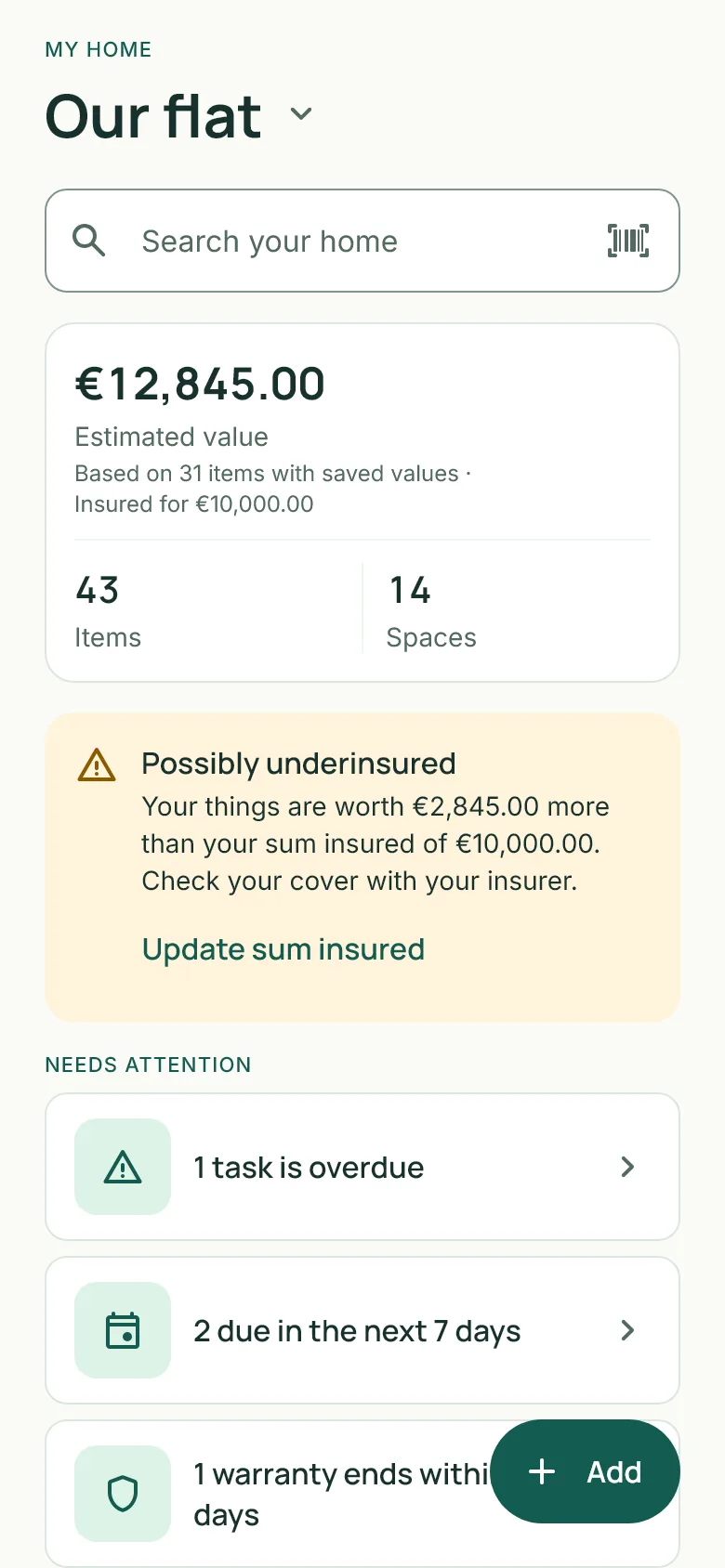
- Enter your policy's figure in Settings › Home & preferences › Sum insured. The home screen then shows "Insured for" next to what your things are worth, and a calm "Possibly underinsured" notice when they are worth more. Free.
- Photos are saved without their location, and the list stays on your phone until you share it.
- The insurance report, a PDF of your contents room by room with photos and totals, is Kavouki Plus, which is not on sale yet.
Prefer a spreadsheet to start? The free home inventory spreadsheet has the same columns and imports into Kavouki in one go.
Questions
Will my insurer accept a list made in an app?
Ask your insurer what they want to see after a loss. A dated list with photos, receipts and serial numbers is the kind of record they ask about; whether it is enough for a particular claim is up to them and your policy.
Should I send my list to my insurer now?
Only if they ask for it. Your list is a map of your valuables; keep it private and share what is needed, when it is needed.
What if I have no receipt for something?
Photograph it anyway, with its label and serial number, and note roughly when and where you bought it. A card statement, an order email or the box can help show it was yours.