Guide · Your car
Get reminded about ΚΤΕΟ / MOT, ΚΕΚ, insurance and road tax
Log each paper once with the date you did it. Kavouki works out the next one and reminds you two weeks before it and again on the day.
Before you start
- Your car is in Kavouki. If not, add your car first.
- The dates of the last ΚΤΕΟ / MOT, ΚΕΚ card, insurance renewal and road tax payment. The papers or receipts are enough.
- For a newer car that has never been inspected: the date of first registration, from the registration certificate.
In this guide
1. Log the last ΚΤΕΟ / MOT
Open your car
On the Home tab, under Your vehicles, tap your car. If the car has its own home in Kavouki, switch to it first by tapping the home's name at the top. You see the car's screen with Odometer, Coming up and History.
Tap Add service
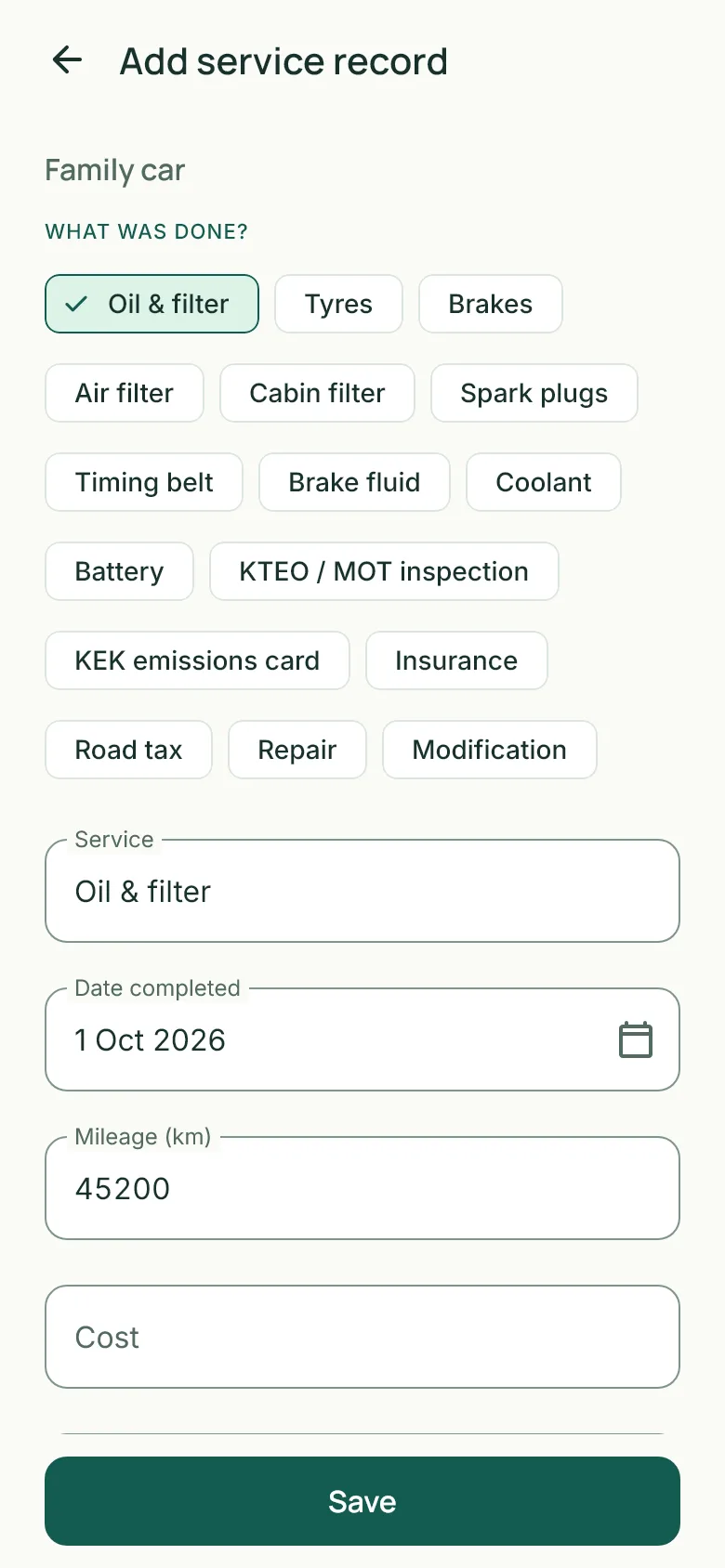
The button sits at the bottom right. Add service record opens, with a row of choices under What was done?
Tap ΚΤΕΟ / MOT inspection
The Service name fills in, and Repeat service turns on with Every (months) set to 24.
Set the date of the inspection
Tap Date completed and pick the day the car passed. The km, the cost and the station under Technician / company are optional.
Check the interval
Under the interval you see Next: and a date. If your vehicle is inspected on another schedule, change the months.
Tap Save
The first time you save something that reminds you, Kavouki explains notifications and offers Allow notifications. Say yes if you want a notification as well as the list in To do.
Result: back on the car's screen, Coming up shows ΚΤΕΟ / MOT inspection with its next date, and the reminder is in the To do tab.
2. Add the ΚΕΚ card, insurance and road tax
Repeat the same steps for each paper: Add service, tap its choice, set the date you did it, check the interval, Save.
- ΚΕΚ emissions card: every 12 months, so the next one is a year after the date you log.
- Insurance: every 12 months. If your policy runs six months, change it to 6.
- Road tax: every 12 months, due by 31 December. Paid before November, Kavouki expects the next payment by 31 December of the same year; paid in November or December, by 31 December of the next year. If you pay for another period, change the months (6, 3) and Kavouki counts from the day you paid.
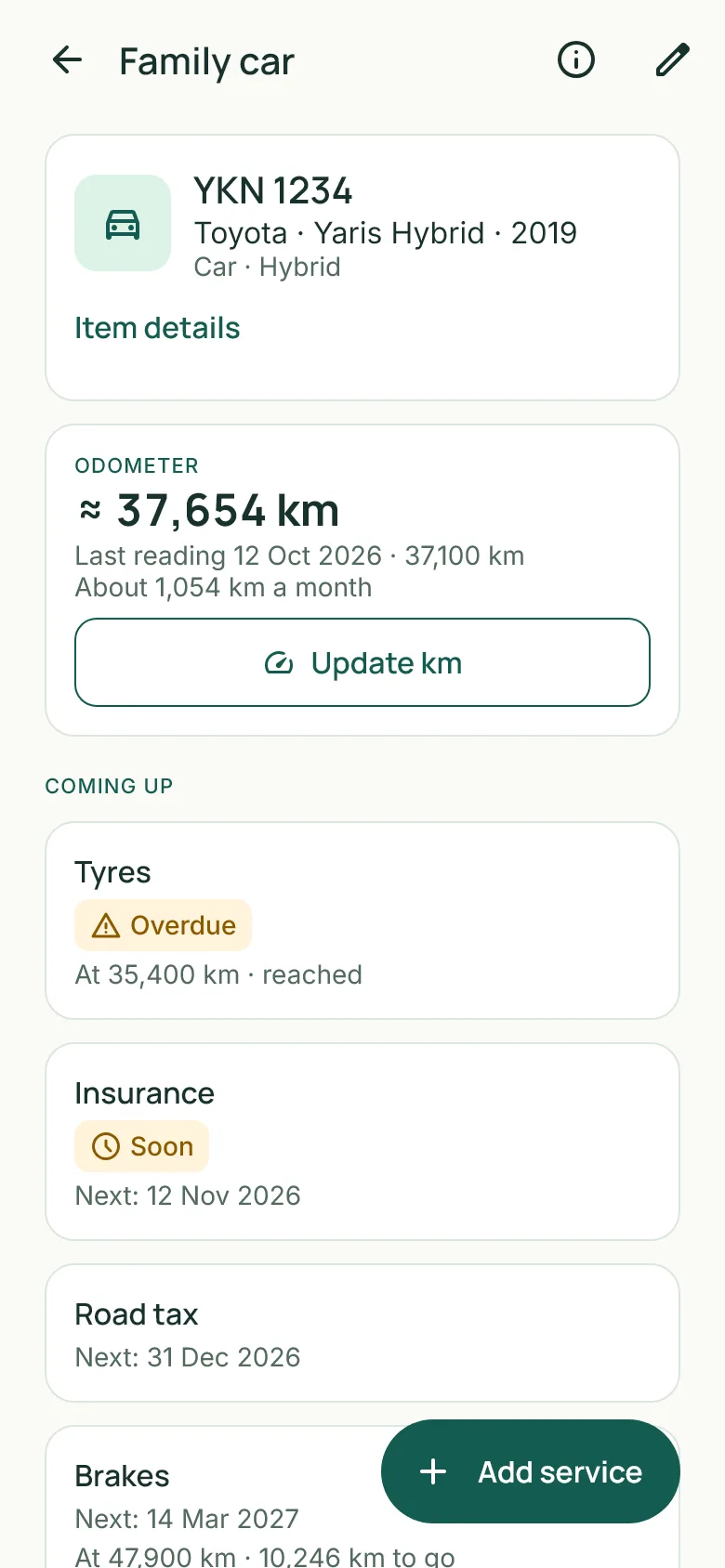
Result: each paper sits under Coming up with its next date, marked Soon or Overdue when it gets close. Paperwork reminds you 14 days before and on the day, at 09:00.
Keep the papers with the car: tap Item details on the car's screen and add a photo or PDF under Documents with Add document.
3. A newer car: the first ΚΤΕΟ
Open the vehicle details
On the car's screen, tap the pencil at the top right (Edit vehicle details). Vehicle details opens.
Set First registration
Pick the date from the registration certificate. Under the field Kavouki says how it counts: “The first ΚΤΕΟ is four years after it, then every two.”
Tap Save
Back on the car's screen, Coming up shows ΚΤΕΟ / MOT inspection with an approximate date, "from the first registration".
Result: you can see roughly when the first inspection falls. This worked-out date is only shown, it does not send a reminder. When the car has passed, tap that card: the form opens ready for the ΚΤΕΟ, and from then on Kavouki reminds you.
Four years, then every two, is Kavouki's simple rule, not an official date. Some vehicles follow other schedules. If you want a reminder for the first inspection, add one in To do with New task, using the date the authorities give you.
4. When a reminder comes
Fourteen days before
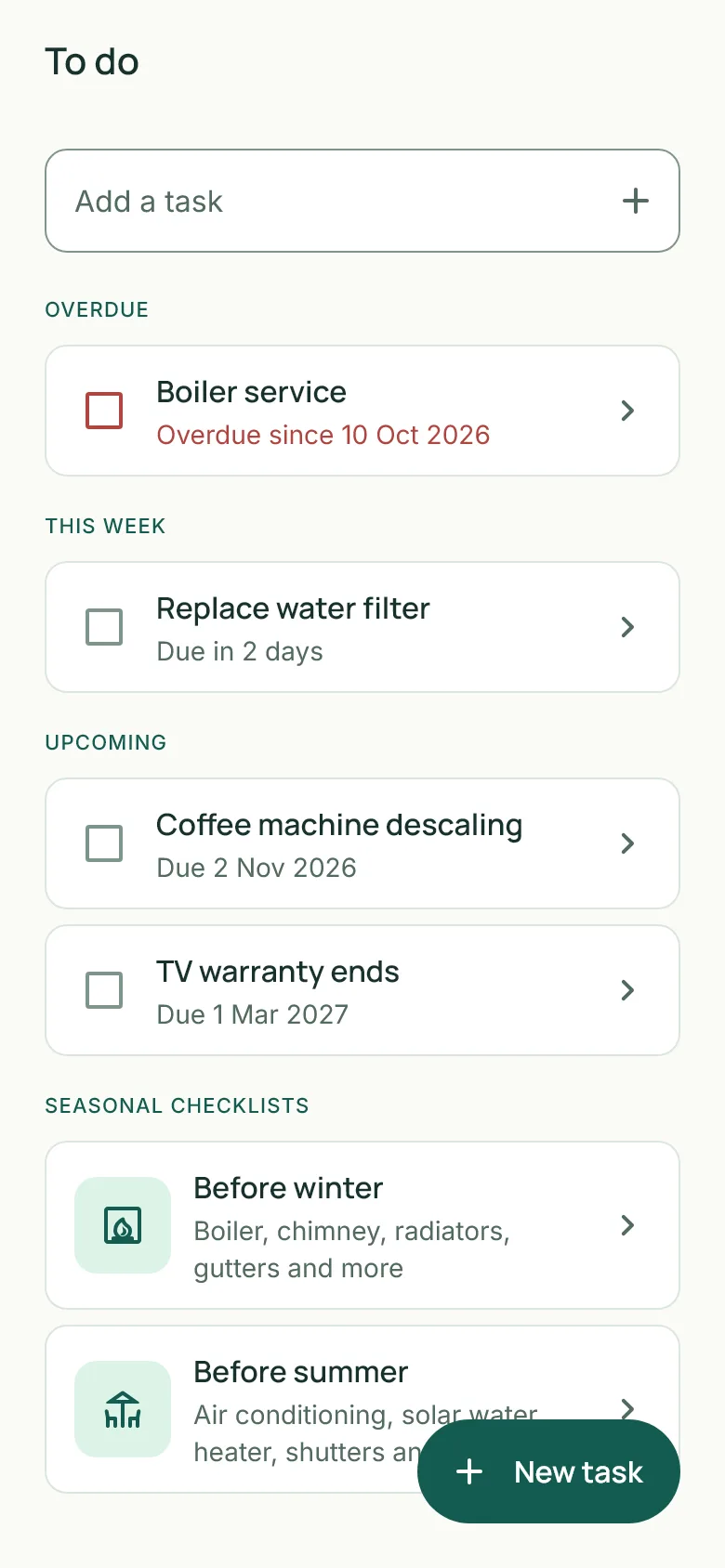
If notifications are allowed, one arrives at 09:00. Either way, the reminder is in To do under This week or Upcoming, and moves to Overdue once the date has passed.
Once it is done, log it
On the car's screen, tap the paper's card under Coming up. Add service record opens with the same name and interval and today's date. Change the date if needed, then Save.
Result: the next date is set and its reminder replaces the old one. Logging is better than tapping Mark done in To do: marking done only clears this reminder and does not set the next one.
If something goes wrong
- No ΚΤΕΟ, ΚΕΚ or road tax choice. They appear for road vehicles. Open Edit vehicle details and check the Type: a boat gets Insurance but no inspection or road tax.
- No notification arrived. Check Settings › Notifications, and your phone's battery saver. The reminder is still in To do. See reminders and notifications.
- My road tax is not due on 31 December. With 12 months, Kavouki assumes 31 December. Set the period you pay for, or add your own yearly reminder in To do (New task, Repeat: Every year) with your date.
- "Add the km it was done at to repeat by km." You set or every (km) on a paper. Paperwork repeats by months only: clear the km.
Questions
Does Kavouki know the official ΚΤΕΟ and road tax dates?
No. Kavouki looks nothing up online and has no account. It counts from the dates you log, so check deadlines and fees on gov.gr, ΑΑΔΕ or gov.cy.
Can I get a reminder earlier than two weeks before?
Paperwork reminds you 14 days before and on the day. For an extra one, add your own reminder in To do and choose 30 days before under Remind me.
Does this cost anything?
No. The car's service log, km and paperwork reminders, fill-ups and the Fuelio import are free. Only the service book PDF for selling the car is part of Kavouki Plus, which is not on sale yet.
Where is the list of papers on paper?
Our free car service and paperwork calendar prints the same papers on one page.
Still stuck? Write to support@kavouki.com with your phone model, the version in Settings › About and what you see. Settings › Help & support › Copy diagnostics gives you a short, anonymous list to paste in.