Guide · Renting and letting
Add the short-let safety checklist and keep its dates
One tap adds a space with eight safety items to the home you let. Give each one its date and its certificate, and Kavouki reminds you before a check or a certificate runs out.
Kavouki keeps your dates and papers. It does not make a property compliant. Since 1 October 2025, homes let short-term in Greece must meet article 3 of law 5170/2025, as explained by the Ministry of Tourism's circular and the Fire Service's fire-safety guide. Kavouki's eight items cover the most common ones; the law also asks for a residual-current device, escape signs, and daylight, ventilation and air conditioning. Our free checklist lists them all with sources. Rules can change: confirm with the Ministry of Tourism or a professional.
Before you start
- The home you let is open in Kavouki. If you keep several homes, switch to it first by tapping the home's name on the Home tab.
- Your papers: the extinguisher's service label, the electrician's declaration, the pest-control certificate, the liability insurance policy and the property's ΑΜΑ number. Photos or PDFs on the phone are fine.
In this guide
1. Add the checklist
Open Settings
Under Home, the last row is Add short-let safety checklist: “Extinguisher, smoke detectors, certificates and more, in one place.”
Tap it
Kavouki adds a space called Short-let safety to the current home and opens it.
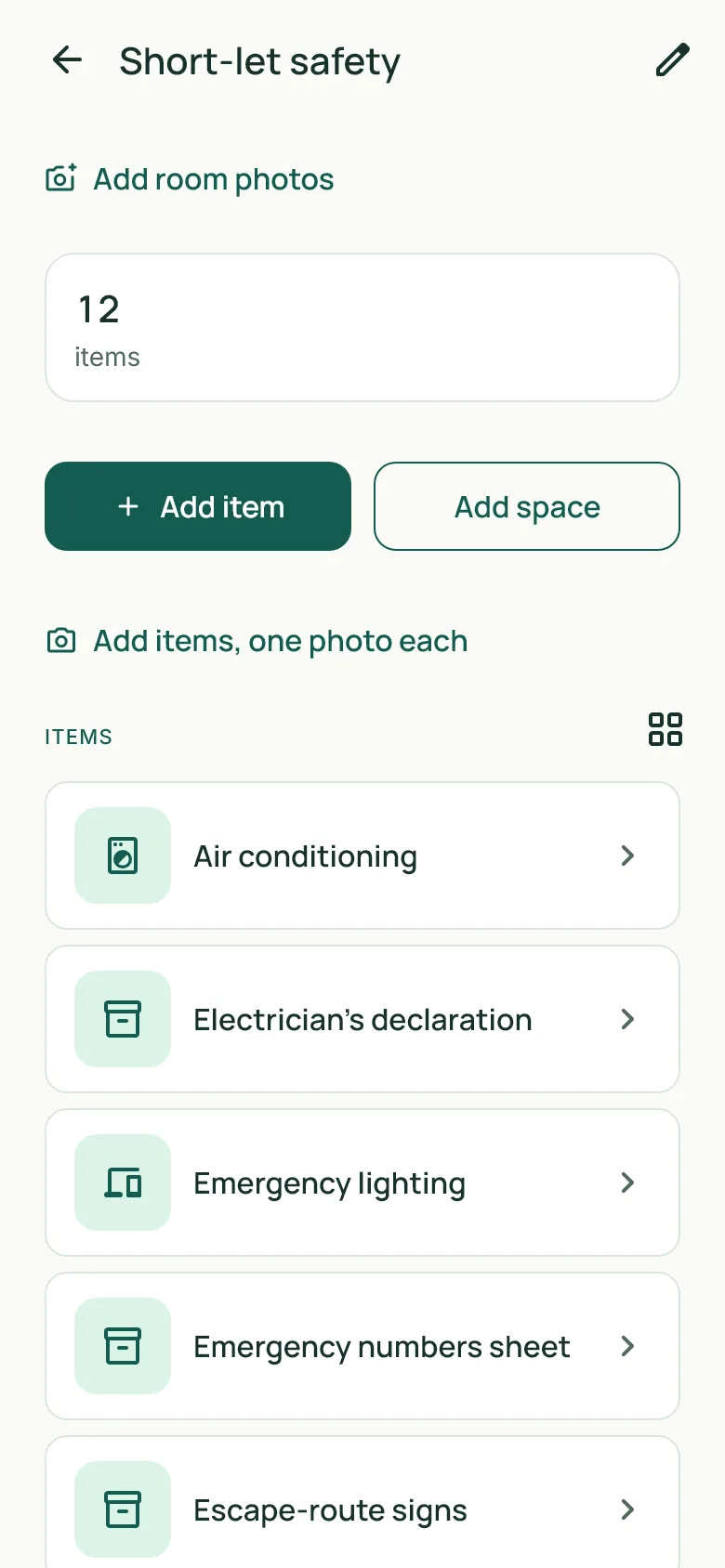
Result: eight items, ready for their dates: Fire extinguisher, Smoke detectors, First-aid kit, Electrician’s declaration, Pest-control certificate, Liability insurance, Property registry number (ΑΜΑ) and Emergency numbers sheet. No reminders are made yet. Tapping the row again opens the same space; it never adds a second one.
2. Give each item its date
Do this for the fire extinguisher, the smoke detectors, the electrician's declaration, the pest-control certificate and the liability insurance.
Open the item
In the Short-let safety space, tap it.
Tap Add service
It is under Maintenance. Add service record opens, with home templates under What was done?
Tap the matching template
Fire extinguisher check, Smoke alarm test, Electrician’s declaration, Pest control, or Home insurance for the liability policy. Most turn on Repeat service every 12 months.
Set the date and the interval
Pick Date completed: the day of the check, or the date on the certificate. Under Repeat every (months), use what your certificate or policy says; Kavouki shows Next reminder: and the date.
Tap Save
Back on the item, Maintenance shows the record and the next date.
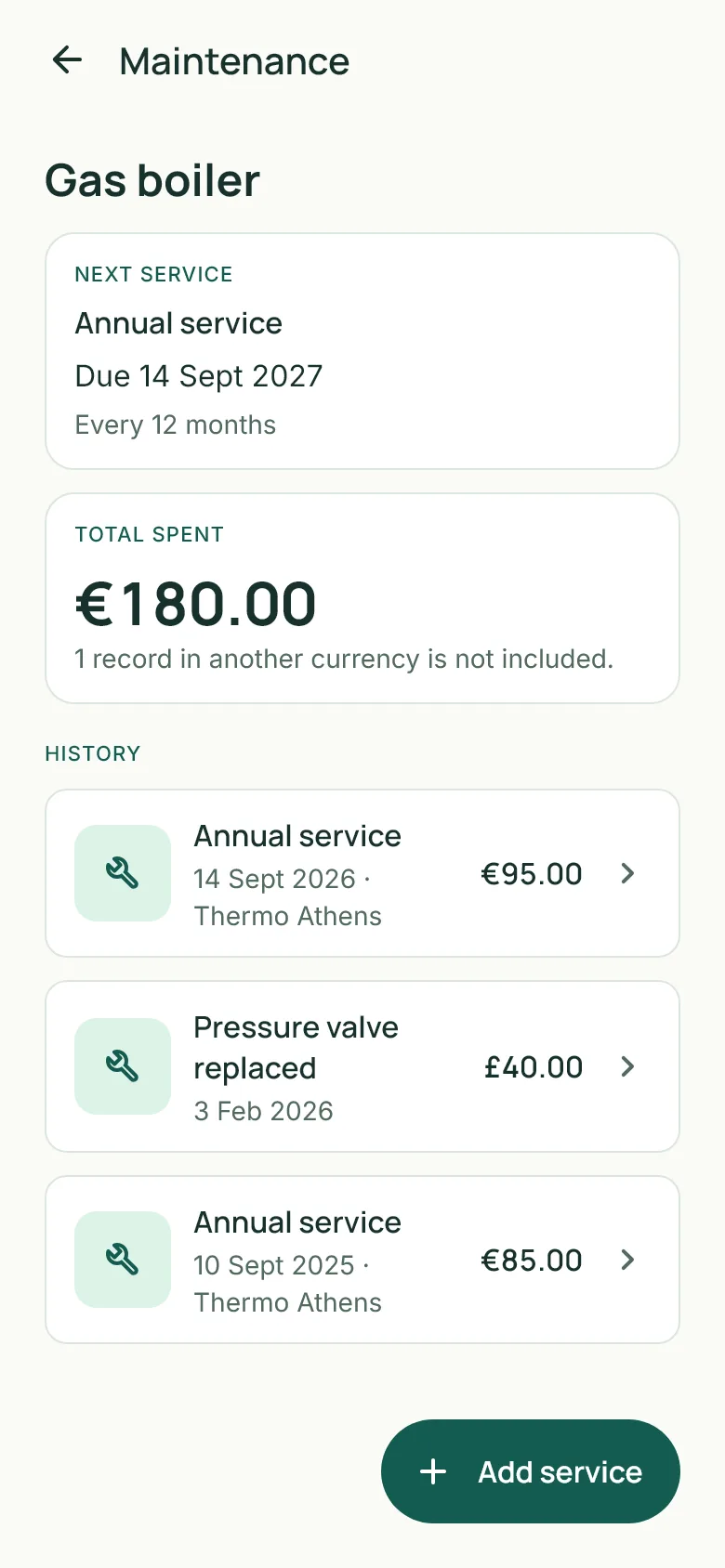
Result: each dated item reminds you in To do. The extinguisher check, the electrician's declaration, pest control and insurance remind you 14 days before and on the day; the smoke alarm test on the day.
The electrician's declaration starts without a repeat, because it has no fixed validity in the app. If yours has one, turn on Repeat service and set the months.
3. Keep the certificate with it
On the item, find Documents
Scroll down past Maintenance.
Tap Add document
Pick the photo or PDF of the certificate, then say what it is.
Result: the paper sits with the item, ready to show a guest, an inspector or your accountant. Tap it to open it in your phone's viewer.
4. The items without a renewal date
- First-aid kit: on the item, tap Add task and set the earliest expiry date of what is inside.
- Property registry number (ΑΜΑ): tap ⋮ › Edit, open More details and type the number in Notes.
- Emergency numbers sheet: add a photo of the sheet you put up, under Documents. Our short-let safety checklist page has a printable one.
Result: all eight items carry what you need, and the ones that expire remind you.
If something goes wrong
- “The checklist could not be added.” Nothing was written. Try again; if it repeats, restart Kavouki.
- The checklist went into the wrong home. It is added to the home that is open. Switch to the right home and tap the row again; delete the extra space from Spaces if you do not need it.
- Car templates instead of home ones under “What was done?”. The item's category is Vehicles. Tap ⋮ › Edit and choose another category.
- No notification arrived. The reminder is still in To do. See reminders and notifications.
Questions
Does this make my short let compliant?
No. Kavouki keeps track of the items and your dates; whether your property meets the rules depends on the official requirements and on your property. Check the official text.
Can I add more items, or rename these?
Yes. They are ordinary items in an ordinary space: add, rename, move or delete them as you like.
Is it in Greek?
The items are named in the app's language at the moment you add the checklist. You can rename them later.
Does it cost anything?
No. The checklist, its reminders and documents are free.
Still stuck? Write to support@kavouki.com with your phone model, the version in Settings › About and what you see. We cannot answer legal questions about your property. Settings › Help & support › Copy diagnostics gives you a short, anonymous list to paste in.