Guide · Warranties and reminders
Add a warranty and get reminded before it ends
Keep the end date, the provider and the terms with the thing itself. The reminder comes while you can still claim, and the facts are already in your hand.
Before you start
- The item is in Kavouki. If not, start with one room.
- The receipt or the warranty card, for the purchase date and the date the cover ends.
In this guide
1. Add the warranty
Open the item
Find it in Spaces or with Search your home, and tap it. The item opens on its photos, with its details below.
Tap the Warranty card
Scroll to Warranty. Without one it says No warranty and Add warranty. Tap the card: the Warranty screen opens with No warranty yet.
Check the purchase date
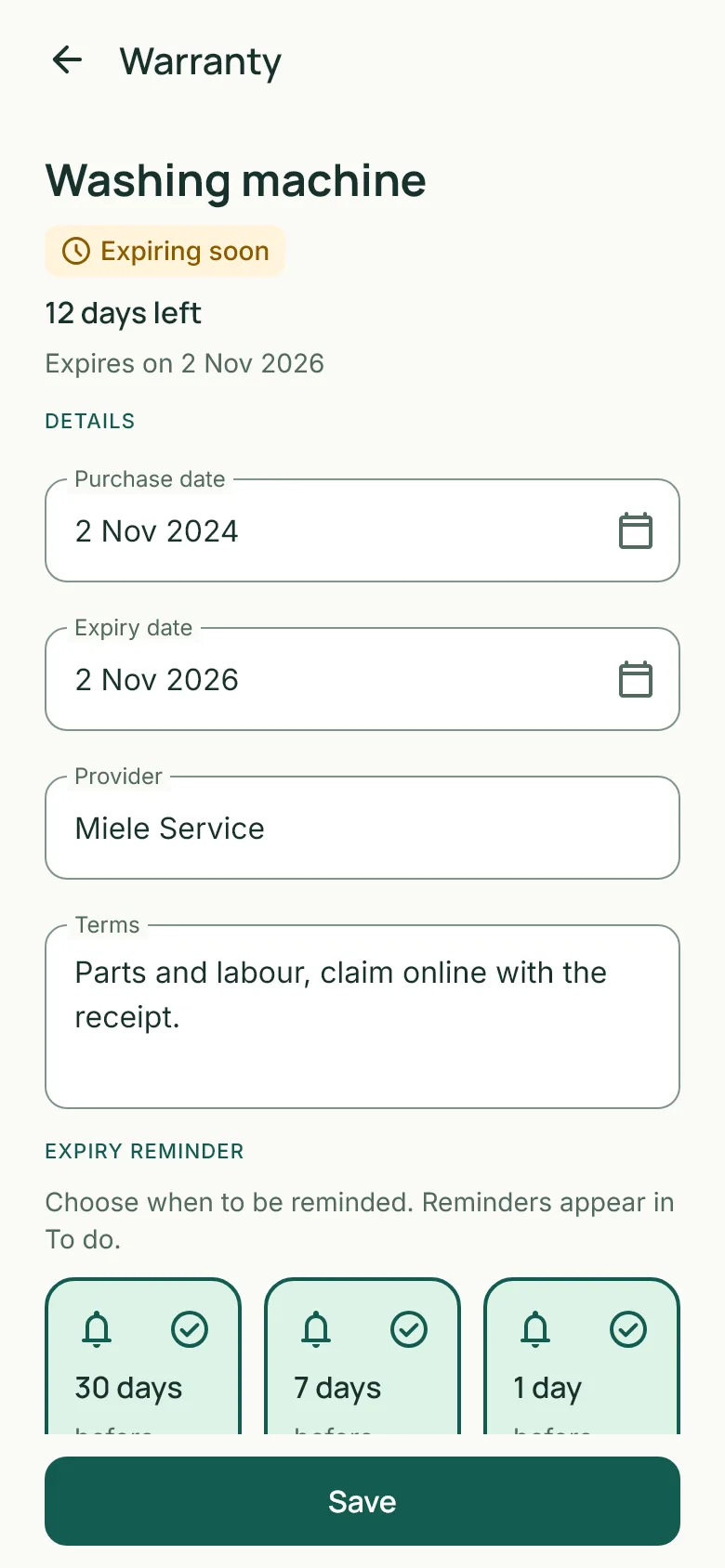
Purchase date is filled in from the item when it has one. If not, tap it and pick the day you bought it.
Pick the expiry date
Tap Expiry date and pick the day the cover ends, from the receipt or the warranty card. This is the one date Kavouki needs.
Add the provider and terms (optional)
Provider is the shop or the manufacturer. Terms holds what is covered, a claim number and how to claim.
Choose the reminders
Under Expiry reminder, the tiles for 30 days, 7 days and 1 day before are all on. Tap a tile to turn it off. With none on, Kavouki says No reminder will be set.
Tap Save
If this is your first reminder, Kavouki first explains notifications and offers Allow notifications. Then you are back on the item.
Result: the Warranty card shows a status, Active, Expiring soon or Expired, and the end date. In the To do tab, “Warranty ends: the item's name” waits on the end date.
2. When the end gets close
A notification, 30, 7 and 1 day before
If notifications are allowed, each one arrives at 09:00. The reminder is in To do either way.
A notice on the item
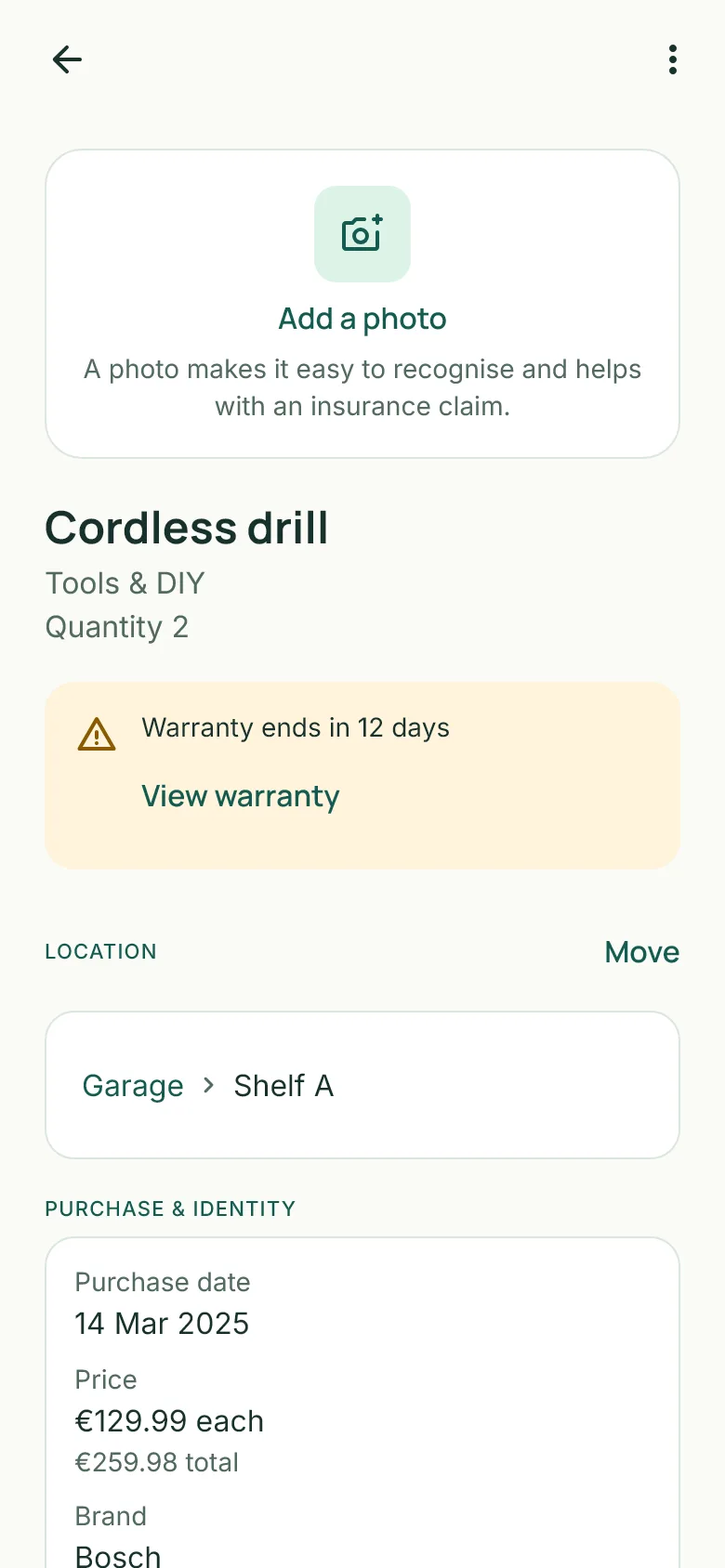
From 30 days before, the item opens with “Warranty ends in 12 days” (or “today”) and View warranty. After the end it says when it ended.
A line on the Home tab
Under Needs attention, the dashboard counts the warranties that end within 30 days. Tap the line to open them.
Result: you hear about the end of the cover three times, and the provider and terms are one tap away when you call.
Keep the receipt with the item: on the item, under Documents, tap Add document and pick the photo or PDF.
3. No warranty? The EU two-year legal guarantee
Under EU law, what you buy from a business comes with a two-year legal guarantee from the seller, whether or not there is a shop or manufacturer's warranty. Kavouki shows its end on any item that has a purchase date and no saved warranty.
Give the item its purchase date
On the item, tap ⋮ › Edit, open More details if it is closed, set Purchase date and tap Save.
Read the Warranty card
It now says “Legal guarantee until about date: two years from delivery when you buy from a business in the EU, even without a shop warranty.” Once that date has passed, it says when the two years ended.
Result: you can see at a glance whether a broken appliance may still be the seller's problem. The line is information, not a reminder; to be reminded, add a warranty with that end date.
This is general information, not legal advice. How you claim, and what the seller may ask for, depends on your country's consumer law. Read the EU two-year guarantee and a warranty before you go back to the shop.
If something goes wrong
- “Choose the date the warranty ends.” The expiry date is required. Pick it, then save.
- “The expiry date can’t be before the purchase date.” One of the two dates is wrong. Check both against the receipt.
- Nothing in To do. All three reminder tiles were off. Open the warranty again, tap at least one tile and save.
- No notification arrived. The reminder is still in To do. See reminders and notifications for permissions and battery savers.
- You want to remove it. At the bottom of the Warranty screen, Remove warranty removes it and its reminder.
Questions
What does “Expiring soon” mean?
The warranty ends within 30 days. Before that it is Active, after the end date Expired.
Can I be reminded at other times, for example 60 days before?
A warranty offers 30, 7 and 1 day before. For another time, add your own reminder in the To do tab with New task and link it to the item under For item (optional).
Does Kavouki look up warranties online?
No. Kavouki looks nothing up online and has no account. Everything you type stays on your phone unless you share a file.
Is this free?
Yes. Warranties, reminders and the legal guarantee line are free, with no limit on items.
Still stuck? Write to support@kavouki.com with your phone model, the version in Settings › About and what you see. Settings › Help & support › Copy diagnostics gives you a short, anonymous list to paste in.